
LoRA Weight (LoRA Strength)
LoRA weight controls how strongly a fine-tuned adapter influences the base model when generating a specific style, character, or object. Setting the value to zero leaves the output untouched as if no LoRA were loaded, while setting it too high causes the adapter to overpower the prompt and distort the scene.
Also known as: LoRA strength, lora scale, strength_model, <lora:name:0.8>
Side-by-side test results
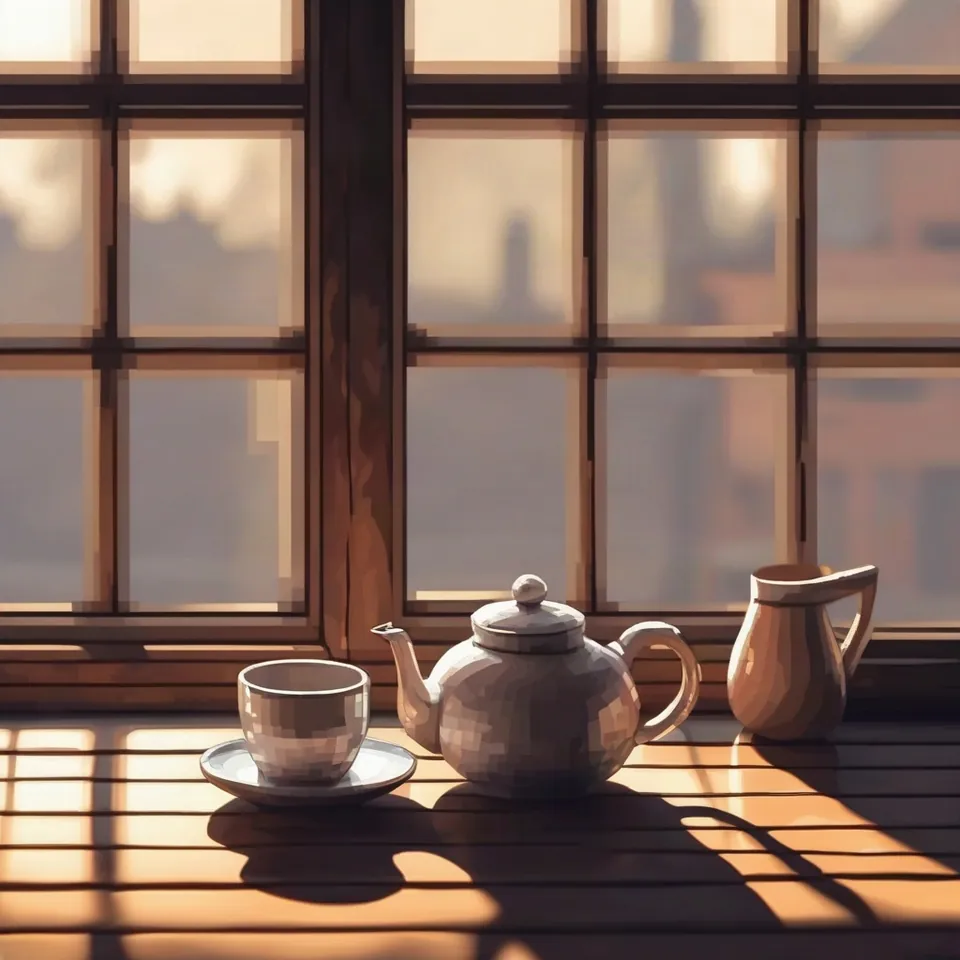
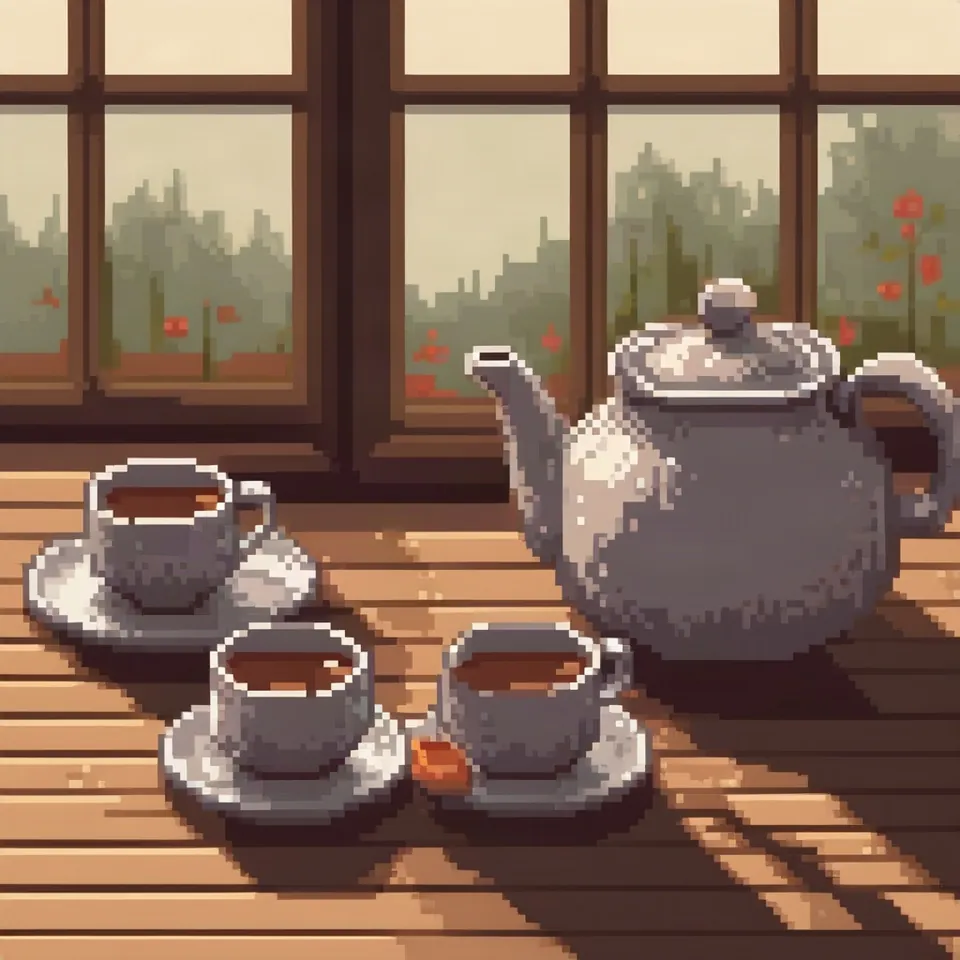
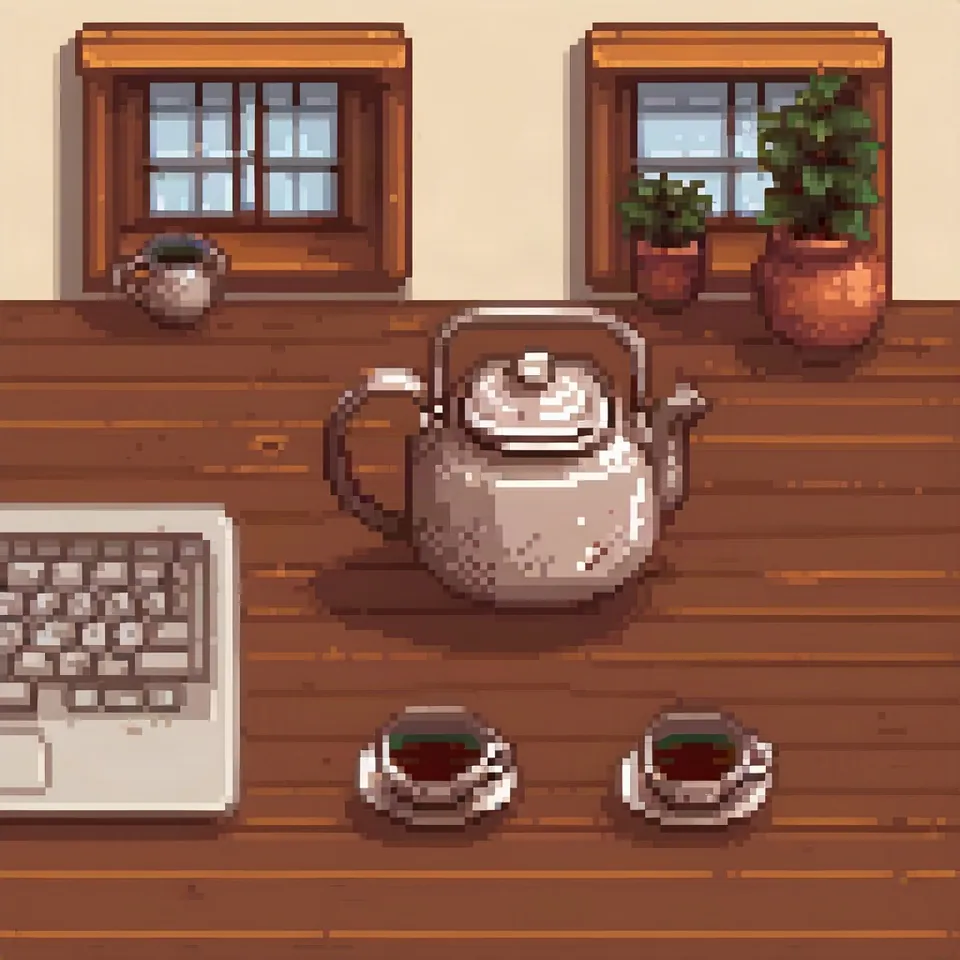
Model: Stable Diffusion XL 1.0 (przez API fal.ai, 30 kroków, CFG 7,5) + LoRA pixel-art-xl (licencja otwarta, Hugging Face). Settings: seed 1411, changing only LoRA weight. Date: 14.11.2026.
Prompt: pixel art, a ceramic teapot and two cups on a wooden table next to a window, soft morning light, still life photo
At zero, SDXL rendered a standard photograph, as simply typing 'pixel art' in the prompt was not enough on its own. At 0.6, I achieved crisp pixel artwork while keeping the original composition completely intact. At 1.2, the style was at its strongest, but the model hallucinated a laptop keyboard on the table that was never in the prompt. Excessive strength pulls unwanted elements straight out of the adapter training data.
Syntax across generators
| Generator | Parameter | Values | Default |
|---|---|---|---|
| FLUX | LoRA for FLUX 3 Image Klein (open weights) / FLUX.2 [klein] trainingTraining on Klein Base; example: rank 32, 20 images, 4000 steps, lr 1e-4, approx. 4.5 h on 1 GPU | LoRA scale 0.5-1.0 (example 0.75 on Distilled) | - |
| Ideogram | custom_model_uri (custom models 3.0/4.0)No strength parameter | model/<name>/version/<version> | - |
| ComfyUI | LoraLoader: strength_model, strength_clipDefault and step from nodes.py code; docs.comfy.org provides range only | -100.0 to 100.0, step 0.01 | 1.0 |
| Midjourney | none | - | - |
| GPT Image | none | - | - |
| Stability AI (SD 3.5) | none in API | - | - |
- Sources, verified on 14.11.2026:
- FLUX: docs.bfl.ml/flux_3/flux3_image_klein.md
- Ideogram: developer.ideogram.ai/api-reference/api-reference/generate-v3
- ComfyUI: docs.comfy.org/built-in-nodes/LoraLoader
- Midjourney: docs.midjourney.com/hc/en-us/articles/32859204029709-Parame...
- GPT Image: developers.openai.com/api/docs/guides/image-generation
- Stability AI: docs.stability.ai/llms.txt
When to use it
- Use 0.5 to 0.8 as a safe starting baseline for artistic styles
- Push closer to 1.0 for specific characters or items that require strict visual accuracy
- Lower individual values when stacking several LoRAs together, as their weights compound
Common mistake
Leaving out the required trigger word. Many LoRAs only activate when paired with a designated keyword, such as 'pixel art', and omitting it meant my first attempt produced no stylistic change at all. Another frequent mistake is cranking the strength past 1.0 just to be certain, which almost always results in warped textures and bizarre visual artifacts.
Ready-to-use example
ComfyUI:  Load LoRA -> strength_model = 0.6, strength_clip = 0.6
AUTOMATIC1111 / Forge:  pixel art, pitcher <lora:pixel-art-xl:0.6>
FLUX through API: "loras": [{"path": "...", "scale": 0.6}]Frequently asked questions
What is the best starting LoRA weight?
Start between 0.6 and 0.8. If the aesthetic feels too faint, raise it by 0.1 increments. If strange objects or burnt textures appear, dial it back down.
Does LoRA strength apply to Midjourney or ChatGPT images?
No. LoRA adapters only work with open-weights ecosystems such as Stable Diffusion, open FLUX checkpoints, and locally hosted generative pipelines.
Can I use a negative LoRA weight?
Yes. Negative values, such as -0.5, instruct the model to steer away from the concepts captured in the adapter, functioning somewhat like a targeted negative prompt.