
Prompt Weighting (Emphasis)
Prompt weighting is a technique that tells an image generator which specific words require more or less attention during generation. In open tools like Stable Diffusion and ComfyUI, creators enclose terms in parentheses with a numerical value, such as (red umbrella:1.6), to amplify key details. Most hosted consumer models ignore this exact notation, treating punctuation as literal text rather than an instruction.
Also known as: prompt weighting, word emphasis, prompt weights, multi-prompt, (word:weight)
Side-by-side test results
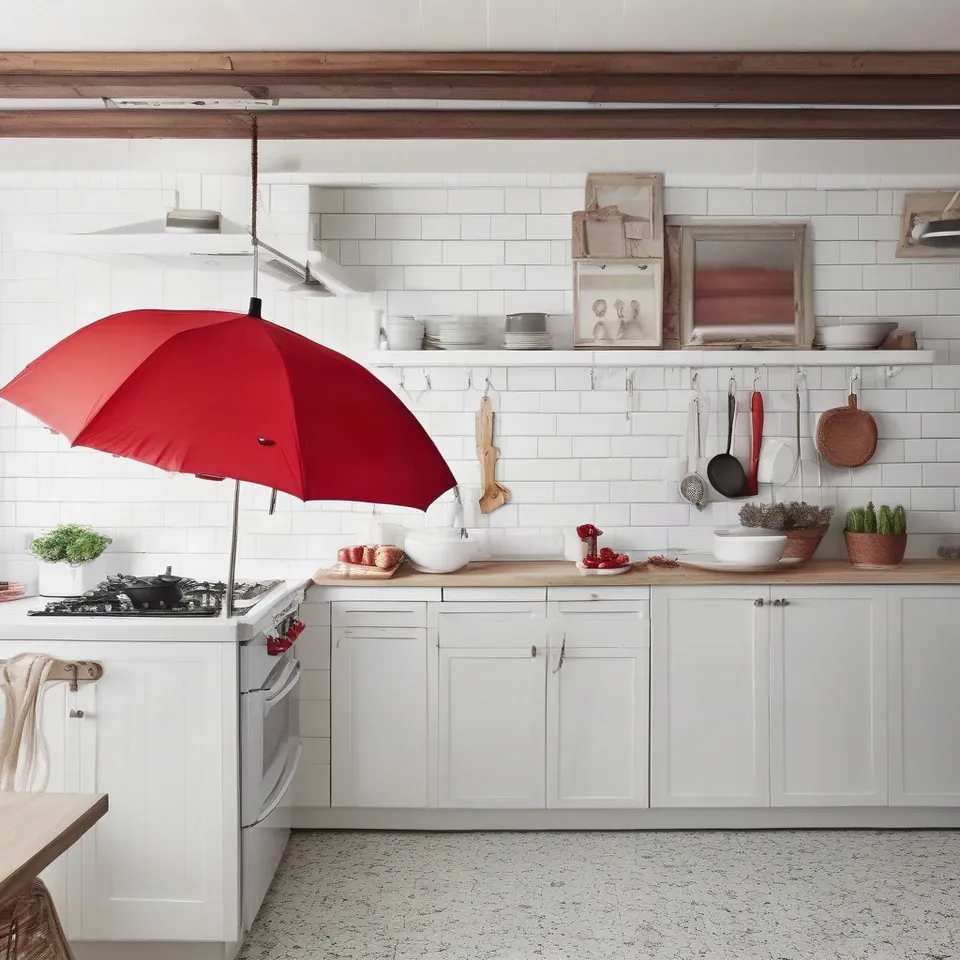
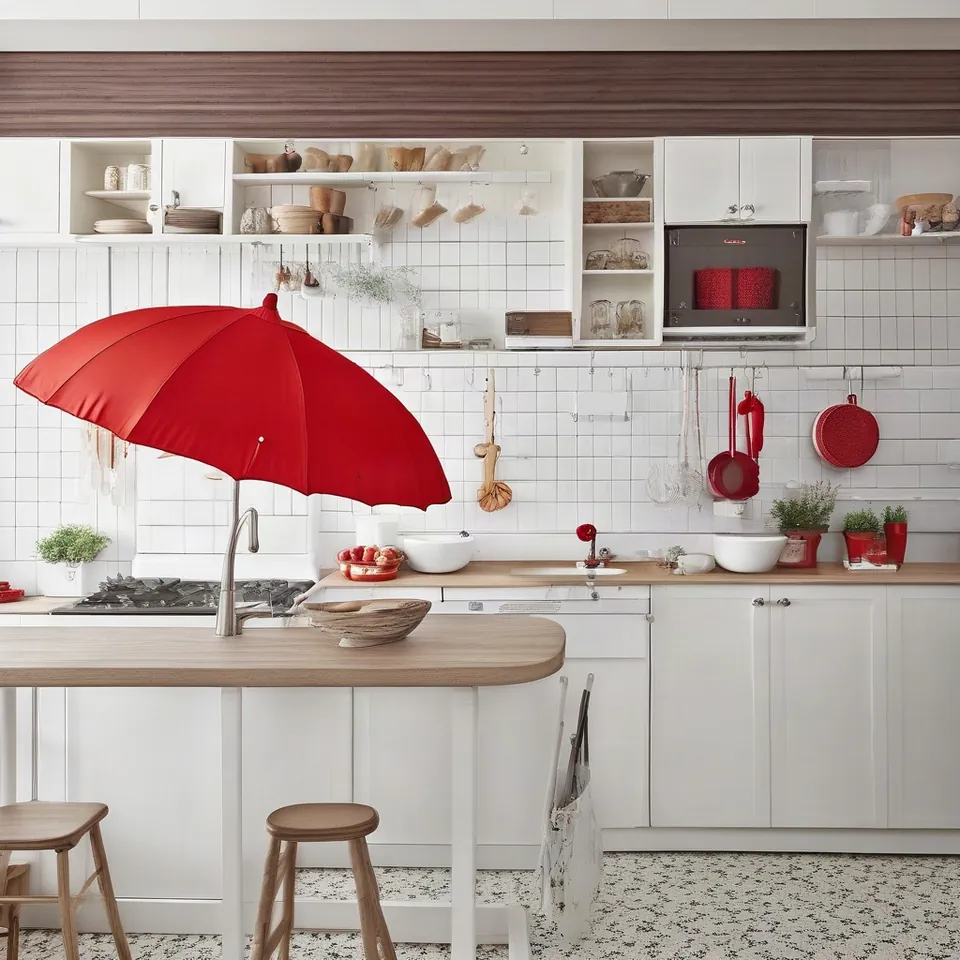
Drag the slider to compare. Left: red umbrella without weighting. Right: (red umbrella:1.6).
Model: Stable Diffusion XL 1.0 (przez API fal.ai, 30 kroków, CFG 7,5). Settings: seed 1411, tested once with standard phrasing and once with (red umbrella:1.6). Date: 14.11.2026.
Prompt: a white kitchen with a red umbrella hanging on a hook, photo
When I set the weight to 1.6, the umbrella expanded significantly and moved right into the foreground. The red tone also leaked across the kitchen, tinting various dishes on the counter. Raising a weight reinforces the entire concept across the whole frame, not just the isolated object.
Syntax across generators
| Generator | Parameter | Values | Default |
|---|---|---|---|
| ComfyUI | (word:1.2) in CLIP Text Encode node | higher number = higher weight, (word:0.8) = lower, brackets only = 1.1 | - |
| Stability AI (SD 3.5) | no weight syntax in API description | - | - |
| Midjourney | multi-prompt with :: (e.g. cat::2 dog) | description in Midjourney documentation (page blocks bots - check manually) | - |
| GPT Image | none - weight is determined by description | - | - |
- Sources, verified on 14.11.2026:
- ComfyUI: docs.comfy.org/built-in-nodes/ClipTextEncode
- Stability AI: docs.stability.ai/
- Midjourney: docs.midjourney.com/
- GPT Image: developers.openai.com/api/docs/guides/image-generation
When to use it
- when the generator ignores an essential element in a complex scene
- to dial back an overwhelming element that crowds out the subject, such as (snow:0.7)
- when balancing competing colors or specific architectural accents across a room
Common mistake
Setting values above 1.5 or 2 is a frequent misstep. Extreme weights cause artifacts, burn out fine textures, and make a single color bleed across the entire composition. Another common error is pasting parenthesis syntax into Midjourney, ChatGPT, or Ideogram, where the generator simply reads the brackets and colons as regular prompt copy.
Ready-to-use example
ComfyUI / A1111:  a white kitchen with a (red umbrella:1.3), photo
reduce impact:  winter street, (snow:0.7)
Midjourney:  kitchen::1 red umbrella::2
Frequently asked questions
Does bracket weighting work inside ChatGPT or DALL-E?
No, it does not. The parenthesis syntax belongs to Stable Diffusion, ComfyUI, and AUTOMATIC1111. In conversational tools like ChatGPT, you emphasize priority by placing crucial subjects at the very beginning of the prompt and adding descriptive adjectives.
How does Midjourney handle word weighting instead?
Midjourney uses double colons rather than parentheses. For example, typing 'bakery::2 morning light::1' breaks the prompt into distinct chunks and assigns relative weight values to each section.
Can I use negative numbers inside prompt weights?
Most Stable Diffusion web interfaces allow negative decimals or values below 1.0 to suppress concepts. Setting a weight to 0.5 reduces its influence, while dedicated negative prompt boxes handle complete exclusions more cleanly.