
Output Format (PNG, JPEG, WebP)
The output format setting specifies the file container and compression standard used when saving or downloading an AI-generated image. While the generated pixels and composition stay identical, the choice determines final file weight, compression artifacts, and whether transparent backgrounds are preserved.
Also known as: output_format, output_compression, response_format
Side-by-side test results
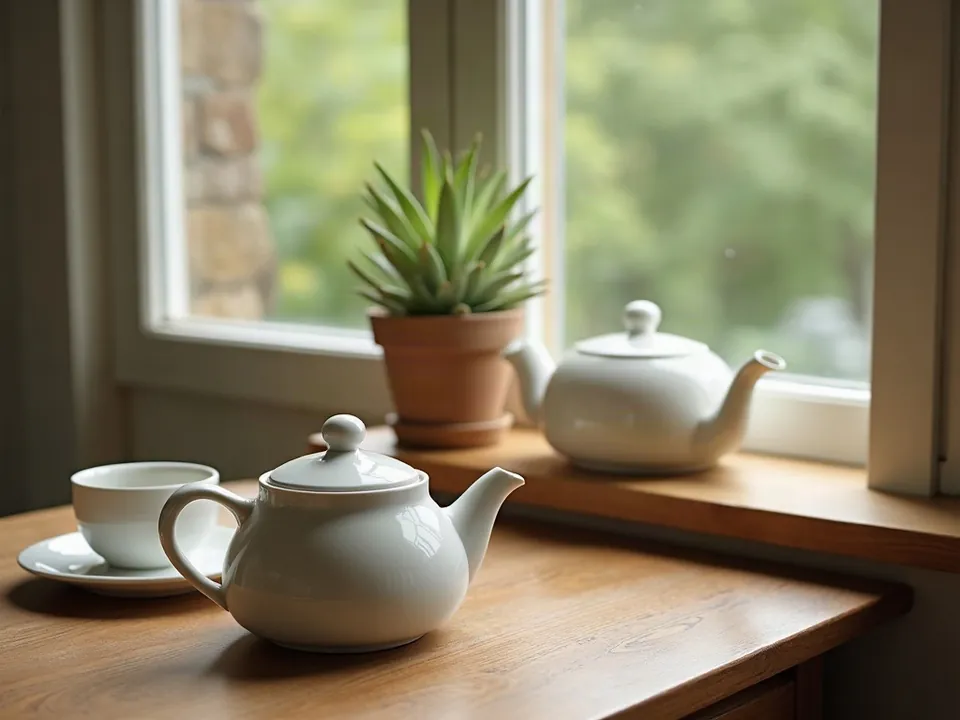
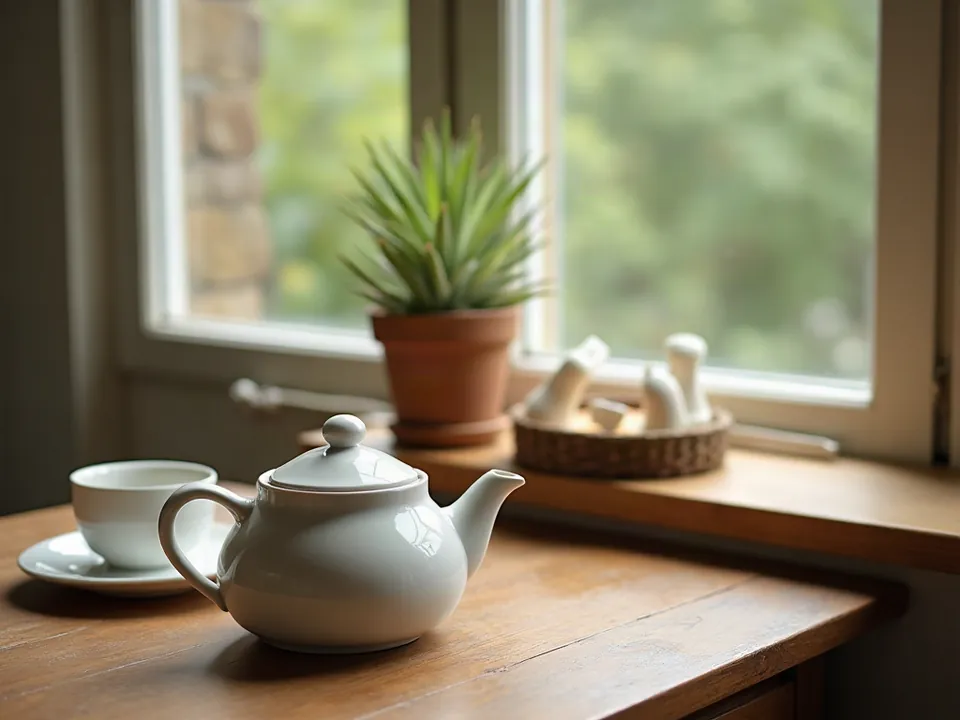
Drag the slider to compare. Left: JPEG from API. Right: PNG from API.
Model: FLUX.1 [dev] (otwarte wagi, przez API fal.ai). Settings: seed 1411, 1024x768, only output_format changes. Date: 14.11.2026.
Prompt: a ceramic teapot and two cups on a wooden table next to a window, soft morning light, still life photo
Both files show the exact same image, and to the naked eye you cannot tell them apart even when zooming in. The real difference is file size: the direct JPEG from the API came out to 552 KB, while the PNG weighed 995 KB, nearly double. Here on the page, both are displayed as 960 px wide WebP files, converted down to roughly 29 KB each.
Syntax across generators
| Generator | Parameter | Values | Default |
|---|---|---|---|
| FLUX | output_formatFLUX.2, Ultra, Fill, Expand. FLUX 3 Image: no parameter | jpeg, png, webp | jpeg |
| GPT Image | output_format + output_compressionjpeg faster than png | png, jpeg, webp; SVG (generations only, n=1); GIF (frame_count 2-16, default 9; frame_duration_ms 20-2000, default 200); output_compression 0-100 only jpeg/webp | png |
| Seedream* | output_format / response_format | output_format: png, jpeg; response_format: url, b64_json | jpeg; url (valid for 24 h) |
| Imagen (retired) | outputOptions.mimeType + compressionQuality | image/jpeg, gif, png, webp, bmp, tiff, vnd.microsoft.icon; compressionQuality 0-100 (JPEG only) | compressionQuality 75 |
| Stability AI (SD 3.5) | output_format | png, jpeg, webp | png |
| Ideogram | no parameter in retrieved endpoints | - | - |
| Qwen-Image | no parameterURL valid for 24 h | PNG | PNG |
* Midjourney: docs.midjourney.com blocks automated scrapers, so values are sourced from search engine indexes. Please verify settings on the official Midjourney site before production use.
- Sources, verified on 14.11.2026:
- FLUX: docs.bfl.ml/api-reference/models/generate-or-edit-an-image-...
- GPT Image: developers.openai.com/api/docs/guides/image-generation
- Seedream: docs.byteplus.com/en/docs/ModelArk/1541523
- Imagen: docs.cloud.google.com/vertex-ai/generative-ai/docs/image/ge...
- Stability AI: docs.stability.ai/api-reference/generate/stable-diffusion-3...
- Ideogram: developer.ideogram.ai/v2/api-reference/images/generate/ideo...
- Qwen-Image: www.alibabacloud.com/help/en/model-studio/qwen-image-genera...
When to use it
- PNG for detailed editing, text-heavy graphics, print projects, and cutouts with transparent backgrounds
- JPEG or WebP for blog posts, digital marketing, and web publishing where fast loading is critical
- WebP in API workflows when you need small file footprints without sacrificing an alpha transparency channel
Common mistake
Defaulting to PNG for every prompt and uploading those hefty files straight to a website or portfolio slows down page speeds dramatically. Another frequent misstep is exporting an asset with an isolated background as a JPEG, which strips the alpha channel and fills the transparent space with solid white or black.
Ready-to-use example
GPT Image:  "output_format": "webp", "output_compression": 80
FLUX:  "output_format": "png"
Stability:  "output_format": "webp"
Frequently asked questions
Which output format should I use for website publishing?
WebP or JPEG are the best options. WebP offers the smallest file footprint with excellent visual quality across modern web browsers. Save PNG for master copies and assets requiring transparent backgrounds.
Does choosing PNG make the AI generate higher detail?
No, the image generation process creates the exact same pixels regardless of the format setting. PNG simply records those generated pixels without lossy compression, while JPEG and WebP discard imperceptible data to reduce storage size.
Can I save an image with a transparent background as a JPEG?
No, the JPEG format does not contain an alpha channel for transparency. If your prompt generates a subject on a transparent background, saving it as a JPEG will automatically replace the empty area with a solid color.