
Quality Parameter (--quality)
The quality parameter controls how much computational effort and processing time a generator commits to an image. Higher settings instruct the model to spend more calculation cycles refining textures and fine details, typically at the expense of longer wait times and higher credit costs. Lower values prioritize generation speed and resource efficiency, making them ideal for rapid drafting.
Also known as: quality, --quality, --q, render quality, image quality
Side-by-side test results
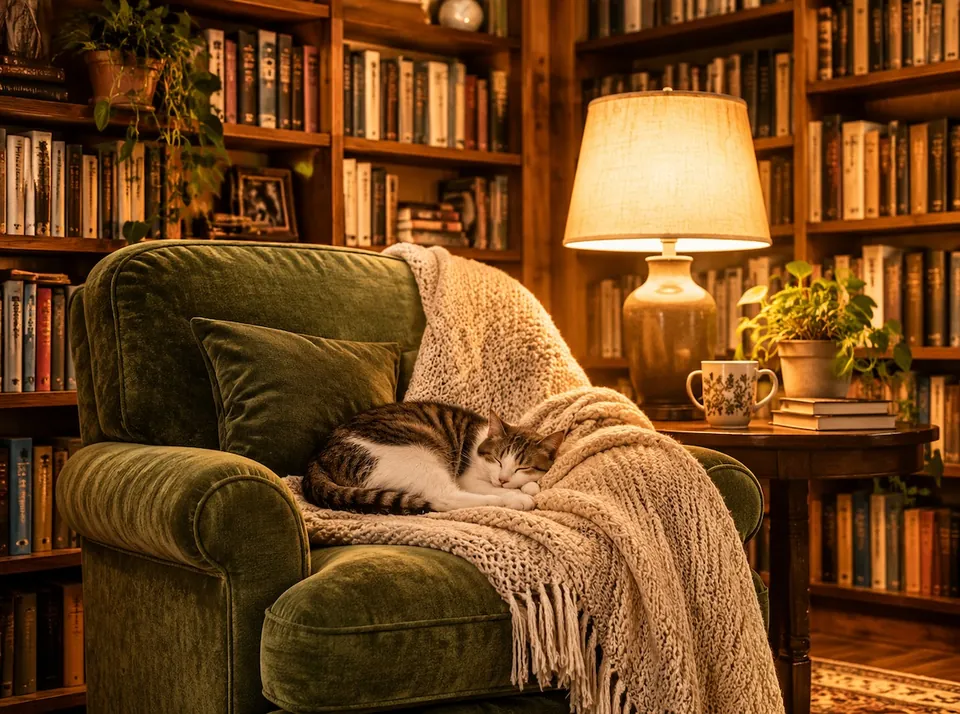
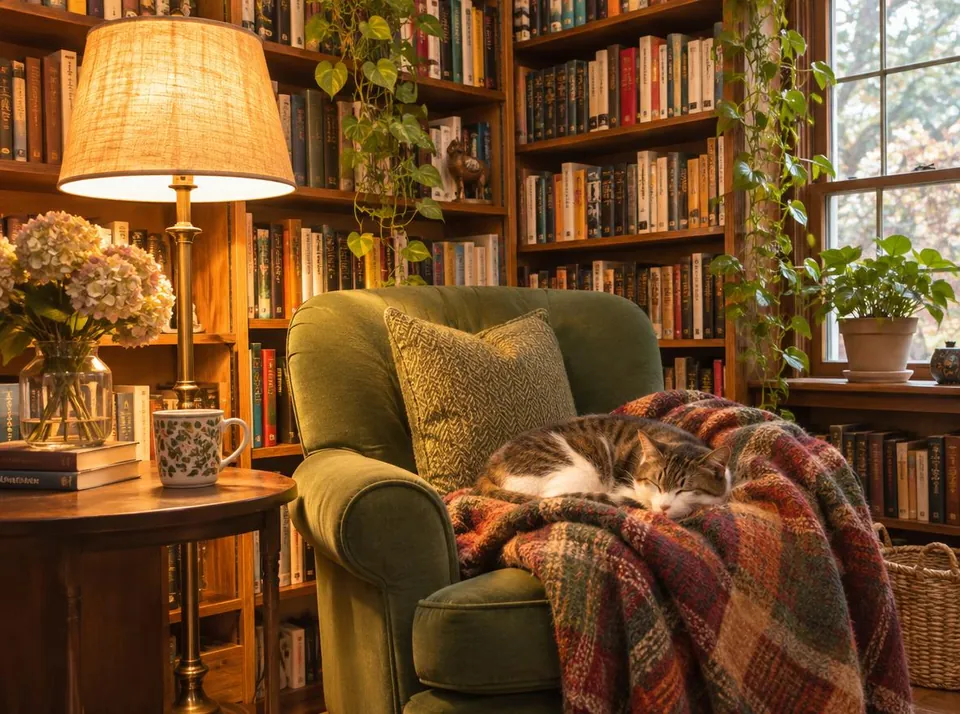
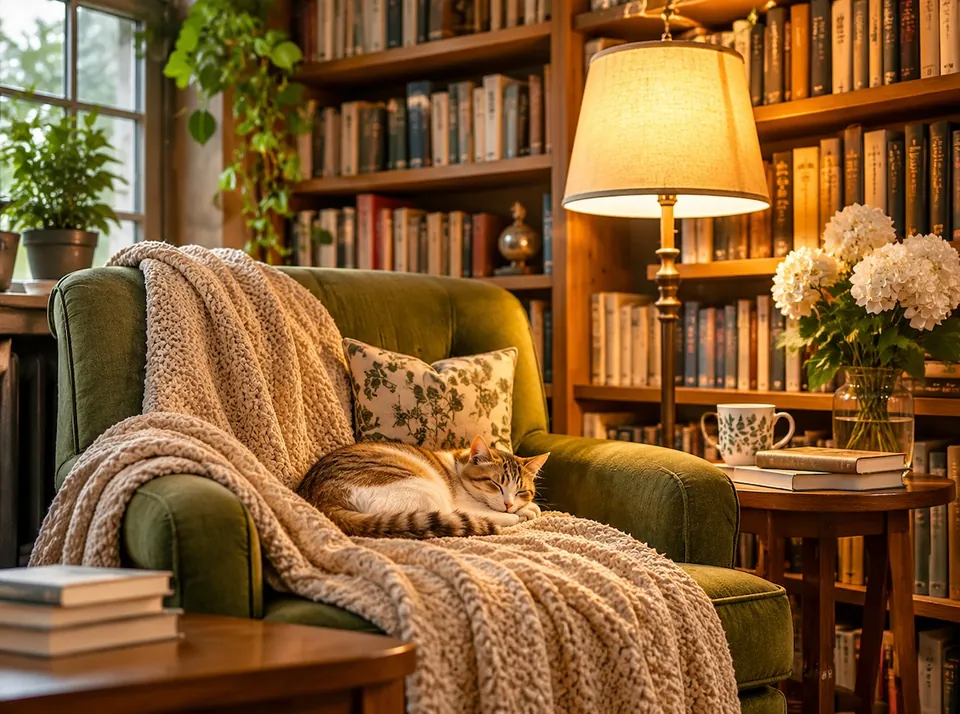
Model: GPT Image 2.6 Flare (przez API WaveSpeed). Settings: 4:3 aspect ratio, JPEG, only quality changed. Date: 14.11.2026.
Prompt: a cozy reading nook with a green armchair, tall bookshelves and a cat sleeping on a blanket, warm lamp light, photo
All three versions rendered cleanly, though their compositions shifted naturally because this engine does not use fixed seeds. The primary difference was the cost: the three images together cost 1.82 USD, while a standalone medium render in a separate test cost just 0.045 USD, meaning the high setting consumed the lion's share of that balance. When scaled down for standard web pages, the visual difference in quality was barely noticeable.
Syntax across generators
| Generator | Parameter | Values | Default |
|---|---|---|---|
| Midjourney* | --quality / --qTabela wersji: NIEOBSŁUGIWANE w V8.1/V8.2 | V7: 1, 2, 4; V6: 0.5, 1, 2 | 1 (V7) |
| Ideogram | quality (4.5) / rendering_speed (3.0, 4.0)very_low requires source images | 4.5: very_low, medium, high | 4.5: medium with source images, high without |
| GPT Image | qualityOlder models up to high | 2.6 Sunburst/Flare: low, medium, high, xhigh, max, auto; gpt-image-2: low, medium, high, auto | auto |
| FLUX | none (indirectly resolution, steps) | - | - |
| Stability AI (SD 3.5) | none (model selection: Ultra/Core/SD 3.5) | - | - |
* Midjourney: docs.midjourney.com blocks automated scrapers, so values are sourced from search engine indexes. Please verify settings on the official Midjourney site before production use.
- Sources, verified on 14.11.2026:
- Midjourney: docs.midjourney.com/hc/en-us/articles/32176522101773-Quality
- Ideogram: developer.ideogram.ai/v2/api-reference/images/generate/ideo...
- GPT Image: developers.openai.com/api/docs/guides/image-generation
- FLUX: docs.bfl.ml/api-reference/utility/generate-an-image-with-fl...
- Stability AI: docs.stability.ai/llms.txt
When to use it
- Use low and medium settings for early layout drafts, mood boards, and web graphics.
- Reserve high and ultra settings for physical print projects, exhibition posters, and scenes containing delicate typography.
- Check your credit balance and platform pricing before altering quality, as premium render tiers can cost several times more.
Common mistake
Defaulting to maximum quality for every single prompt is a costly trap. Most digital images end up compressed and downscaled for smartphone screens or standard web layouts, completely masking micro-details. Another common mistake is trying to force legacy quality flags into newer engine versions where developers have replaced or retired the parameter.
Ready-to-use example
GPT Image 2.6:  "quality": "medium"
Midjourney V7:  --q 2
Ideogram 4.5:  "quality": "medium" (very_low / medium / high)
Ideogram 3.0:  "rendering_speed": "quality"
Frequently asked questions
Is it worth paying for high quality on standard web images?
Usually no. For mobile viewports, social feeds, and digital shop banners, medium settings offer virtually identical clarity once compressed, at a fraction of the compute cost.
Does raising the quality setting alter image resolution?
No. The quality flag dictates sampling steps and detail refinement rather than pixel dimensions. If you need larger pixel dimensions, you should use an upscaler instead.
Will a higher quality value change my prompt composition?
It can subtly rearrange elements because the engine spends more steps resolving noise patterns, but its core purpose is to polish textures and lighting rather than rewrite the scene.