
Inpainting
Inpainting is the process of modifying or replacing a specific section of an image while preserving the surrounding composition. You paint a mask over the area you want to alter and provide a prompt describing the replacement, leaving the rest of the canvas completely untouched. It allows targeted fixes and creative changes without needing to regenerate the entire picture from scratch.
Also known as: inpainting, mask, Vary Region, edit, Fill
Side-by-side test results
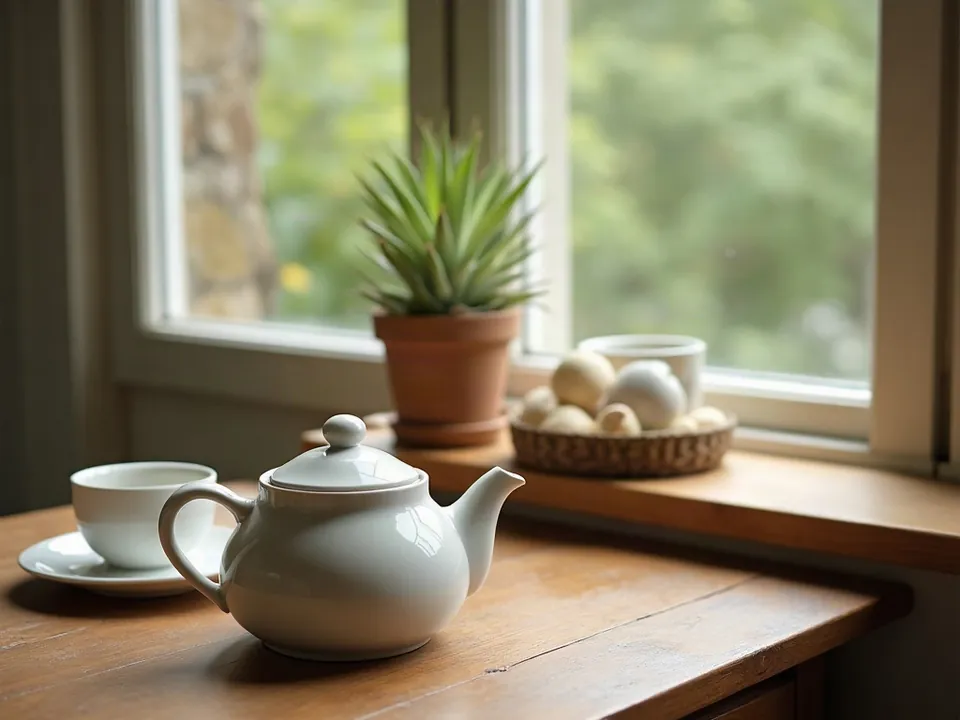
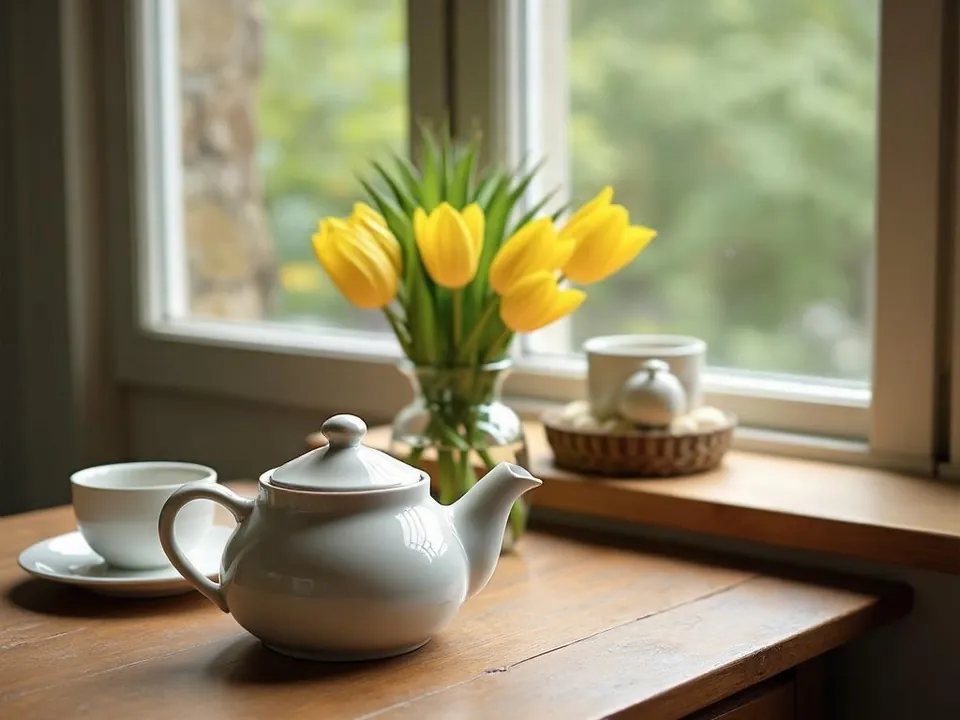
Drag the slider to compare. Left: original. Right: after inpainting: vase with tulips.
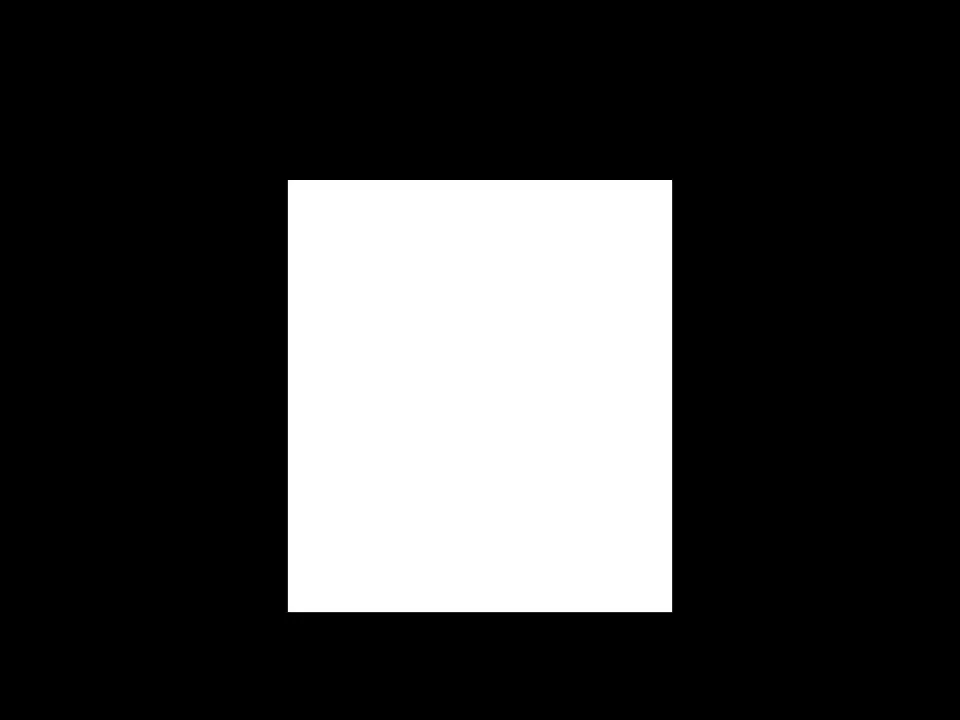
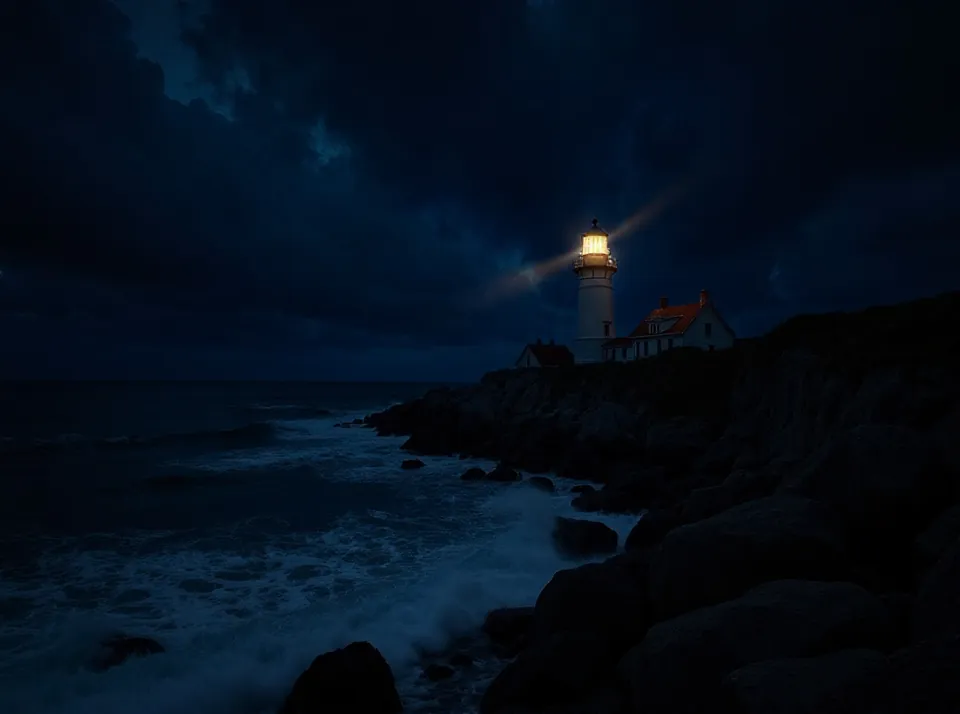
Model: FLUX.1 Fill [pro] (przez API fal.ai); edycja bez maski: FLUX.1 Kontext [pro]. Settings: rectangular mask in center of frame, seed 1411. Date: 14.11.2026.
Prompt: a glass vase with yellow tulips on the wooden table
In my test, the model dropped a vase with tulips right into the masked area and reconstructed a nearby pitcher because the mask had clipped its side. The surrounding window, ambient lighting, and wooden table remained unaltered. For comparison, I tested an unmasked edit where FLUX.1 Kontext received only the instruction 'make it night, turn on the streetlamp', deciding autonomously which parts of the frame to adjust.
Syntax across generators
| Generator | Parameter | Values | Default |
|---|---|---|---|
| Midjourney* | Vary Region (Editor)Edycja wybranego fragmentu, reszta bez zmian | - | - |
| FLUX | FLUX.1 Fill [pro]: image + mask; FLUX 3: bounding boxes in promptFill: black = unchanged, white = to repaint; mask optional if image has alpha channel. FLUX 3: boxes [top, left, bottom, right] on 0-1000 grid | black and white mask, same size as image; steps 15-50, guidance 1.5-100 | steps 50, guidance 60 |
| Ideogram | mask (precise edit 4.5 / generate 4.5) ; inpaint ideogram-3NOTE opposite of FLUX/Stability: BLACK = area to edit, WHITE = keep (4.5 and 3.0 inpaint) | up to 25 MB, same size as 1st image | - |
| GPT Image | mask (editing)Mask applies to 1st image; prompt-based masking - model may not strictly adhere to mask shape | same format and size as image, <50 MB, must have alpha channel | - |
| Seedream | unconfirmedEditing via text instruction with images; mask parameter not found | - | - |
| Imagen (retired) | mask editing (REFERENCE_TYPE_MASK, maskMode)Inpainting mode names unconfirmed; imagen-3.0-capability-001 model deprecated | black and white mask, same resolution, up to 10 MB | - |
| Stability AI (SD 3.5) | Inpaint: image + mask + grow_maskBlack = unchanged, white = full repaint, grays intermediate; without mask alpha channel is used (transparent = repainted) | grow_mask 0-100 px | grow_mask 5 |
| Qwen-Image | no mask in retrieved documentation (instruction editing) | - | - |
* Midjourney: docs.midjourney.com blocks automated scrapers, so values are sourced from search engine indexes. Please verify settings on the official Midjourney site before production use.
- Sources, verified on 14.11.2026:
- Midjourney: docs.midjourney.com/hc/en-us/articles/32794723105549-Vary-R...
- FLUX: docs.bfl.ml/api-reference/models/inpaint-an-image-with-flux...
- Ideogram: developer.ideogram.ai/v2/api-reference/images/generate/ideo...
- GPT Image: developers.openai.com/api/docs/guides/image-generation
- Seedream: docs.byteplus.com/en/docs/ModelArk/1541523
- Imagen: docs.cloud.google.com/vertex-ai/generative-ai/docs/image/ed...
- Stability AI: docs.stability.ai/api-reference/edit/inpaint.md
- Qwen-Image: www.alibabacloud.com/help/en/model-studio/qwen-image-genera...
When to use it
- Swapping or removing an object, logo, or stray bystander in the background
- Fixing malformed hands, facial features, or intricate details without re-rolling the entire image
- Opting for unmasked instruction-based edits when overhauling scene-wide elements like weather, lighting, or overall art style
Common mistake
Drawing the mask too tightly around the target area. The model requires breathing room around the edges to naturally blend new lighting, reflections, and contact shadows into the original scene. Another frequent pitfall is inverting the mask colors: tools like FLUX Fill and Stability use white to indicate the area to alter, whereas Ideogram expects black.
Ready-to-use example
FLUX.1 Fill [pro]:  "image": ..., "mask": ... (white = edit area)
Ideogram (API edit):  mask, black = edit area
GPT Image (edit):  "mask" with alpha channel, same dimensions as source
Midjourney:  Vary Region / web canvas editor
Frequently asked questions
What color should an inpainting mask be?
It depends on the platform you are running. Systems like FLUX Fill and Stability treat white pixels as the editable zone, while Ideogram interprets black pixels as the target area. Always verify your platform's masking conventions before running your task.
Can I edit an AI image without using a mask?
Yes, instruction-driven models such as FLUX.1 Kontext, GPT Image, and Qwen-Image Edit accept plain text prompts to modify scenes directly. However, painting a precise mask still provides far tighter control when you want to isolate a single element.
Why does my inpainted object look pasted on?
This usually happens when the mask boundary is too sharp or sits too close to the object. Expanding the masked area slightly gives the diffusion model enough contextual pixels to calculate realistic contact shadows, edge bounce light, and surface textures.