
Negative Prompt
A negative prompt is a dedicated list of elements, styles, or artifacts you want the AI generator to avoid in the final render. Instead of trying to describe what should be absent inside your primary instructions, you supply these terms separately so the model actively steers away from them during the diffusion process. It acts as an opposing visual weight rather than a literal eraser, so it nudges the generation process away from unwanted features without guaranteeing their total removal.
Also known as: negative prompt, negative_prompt, --no
Side-by-side test results
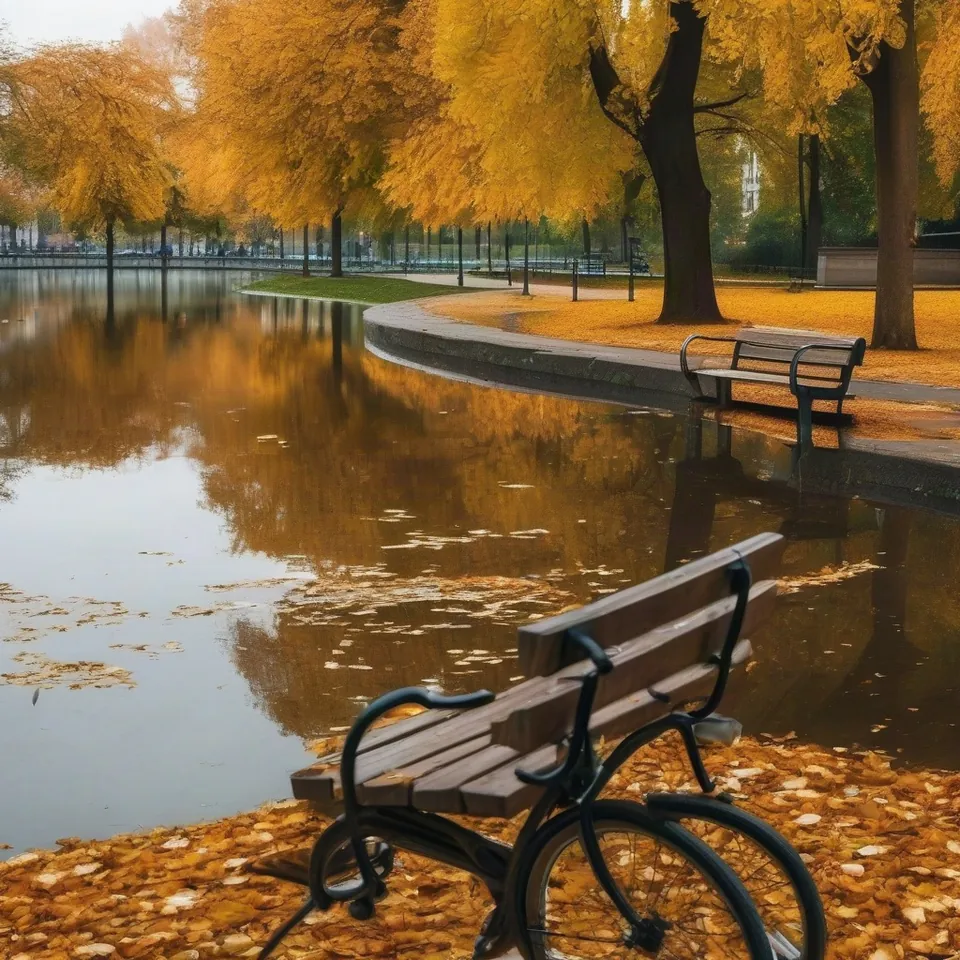
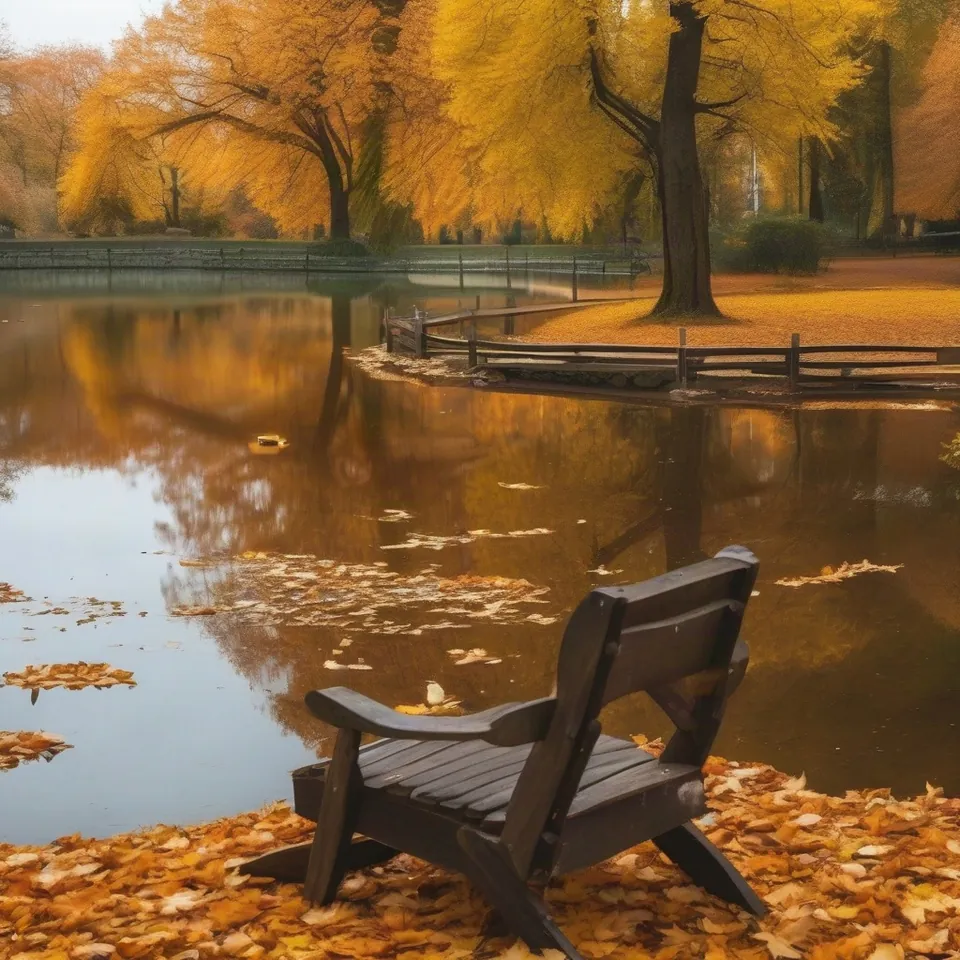
Drag the slider to compare. Left: without negative prompt. Right: negative: bicycles, benches.
Model: Stable Diffusion XL 1.0 (przez API fal.ai, 30 kroków, CFG 7,5). Settings: seed 1411, identical scene, tested with negative prompt "bicycles, benches". Date: 14.11.2026.
Prompt: a city park in autumn with a pond, wooden benches, parked bicycles and fallen leaves, photo
In my benchmark run, the bicycles vanished completely from the scene. The park bench remained, though its shape altered slightly. This clearly illustrates the real limits of negative prompting: it easily strips away incidental clutter, but struggles against elements that naturally belong to the primary prompt.
Syntax across generators
| Generator | Parameter | Values | Default |
|---|---|---|---|
| Midjourney* | --no--no = waga -0.5. Moderacja czyta każde słowo osobno ('--no modern clothing' = 'no modern' i 'no clothing') | list of words | - |
| Ideogram | negative_promptIdeogram 3.0 (and v1 legacy). Description in prompt takes precedence. Ideogram 4.5: no negative_prompt | text | none |
| Seedream | unconfirmed | - | - |
| Imagen (retired) | negativePrompt - unconfirmedDoes not appear on fetched Vertex pages (generation, outpainting) | - | - |
| Qwen-Image | negative_promptqwen-image-3.0 series only (3.0-pro, 3.0); 2.1 not supported | text (per qwen-image-api page: max. 500 characters, excess truncated) | - |
| Stability AI (SD 3.5) | negative_promptSD 3.5, Ultra, inpaint, creative upscale, control | up to 10,000 characters | none |
| ComfyUI | negative input (CONDITIONING) in KSamplerNegative provided as separate text node connected to negative input | - | - |
| FLUX | no such parameterPrompting guide recommends describing what should be present instead of listing what to avoid | - | - |
| GPT Image | no such parameter in retrieved guide | - | - |
* Midjourney: docs.midjourney.com blocks automated scrapers, so values are sourced from search engine indexes. Please verify settings on the official Midjourney site before production use.
- Sources, verified on 14.11.2026:
- Midjourney: docs.midjourney.com/hc/en-us/articles/32173351982093-No
- Ideogram: developer.ideogram.ai/v2/api-reference/images/generate/ideo...
- Seedream: docs.byteplus.com/en/docs/ModelArk/1541523
- Imagen: docs.cloud.google.com/vertex-ai/generative-ai/docs/image/ge...
- Qwen-Image: www.alibabacloud.com/help/en/model-studio/qwen-image-genera...
- Stability AI: docs.stability.ai/api-reference/generate/stable-diffusion-3...
- ComfyUI: docs.comfy.org/built-in-nodes/sampling/ksampler
- FLUX: docs.bfl.ml/guides/prompting_unified_style.md
- GPT Image: developers.openai.com/api/docs/guides/image-generation
When to use it
- Working in Stable Diffusion, ComfyUI, Qwen-Image 3.0, or Ideogram 3.0 where a dedicated negative input field is available
- Cleaning up repetitive artifacts such as watermarks, garbled background text, unwanted borders, or random bystanders in street scenes
- Steering stylistic drift, such as excluding oversaturated lighting, 3D render glazes, or painterly textures from a photorealistic portrait
Common mistake
Typing phrases like "no cars, without pedestrians" directly into your main prompt box is the most widespread error. Many diffusion architectures focus on the core keywords like "cars" and "pedestrians", actually increasing the odds of generating them. Always place banned items into the designated negative box or apply the specific --no flag. Another common pitfall is pasting massive boilerplate negative lists copied from community boards, which often strips out good contrast and damages details you actually wanted to keep.
Ready-to-use example
Midjourney: park in autumn with a lake --no bicycles, benches
Stable Diffusion / ComfyUI: negative field: bicycles, benches
Qwen-Image 3.0: "negative_prompt": "bicycles, benches"
GPT Image, FLUX 3: no field available - describe the scene without mentioning these elements
Frequently asked questions
Does GPT Image support negative prompts?
No, the OpenAI image generator documentation does not feature a negative prompt parameter. If you want to avoid specific objects, simply describe the environment using positive phrasing that naturally excludes them.
What is the difference between --no and negative_prompt?
Both convey the same technical concept. The --no parameter is Midjourney's inline command syntax, whereas negative_prompt is the designated input field or parameter name found across APIs, WebUIs, and node-based workflows like ComfyUI.
Why do some objects still show up even when placed in the negative prompt?
Negative prompts work by applying inverse mathematical guidance during the denoising steps. If your positive prompt strongly implies an object, such as a London street implicitly containing cars, the positive visual weight can overpower your negative instructions.