
Character Reference (--cref)
A character reference is an input image used by an AI generator to reproduce the same subject across different environments, poses, and camera angles. By locking key visual traits such as facial structure, hairstyle, and signature clothing, creators can build coherent storyboards, graphic novels, and digital campaigns. This eliminates the unpredictability of text prompts, ensuring your protagonist looks consistent from one scene to the next.
Also known as: character reference, --cref, --oref, Omni Reference, character_reference_images
Side-by-side test results
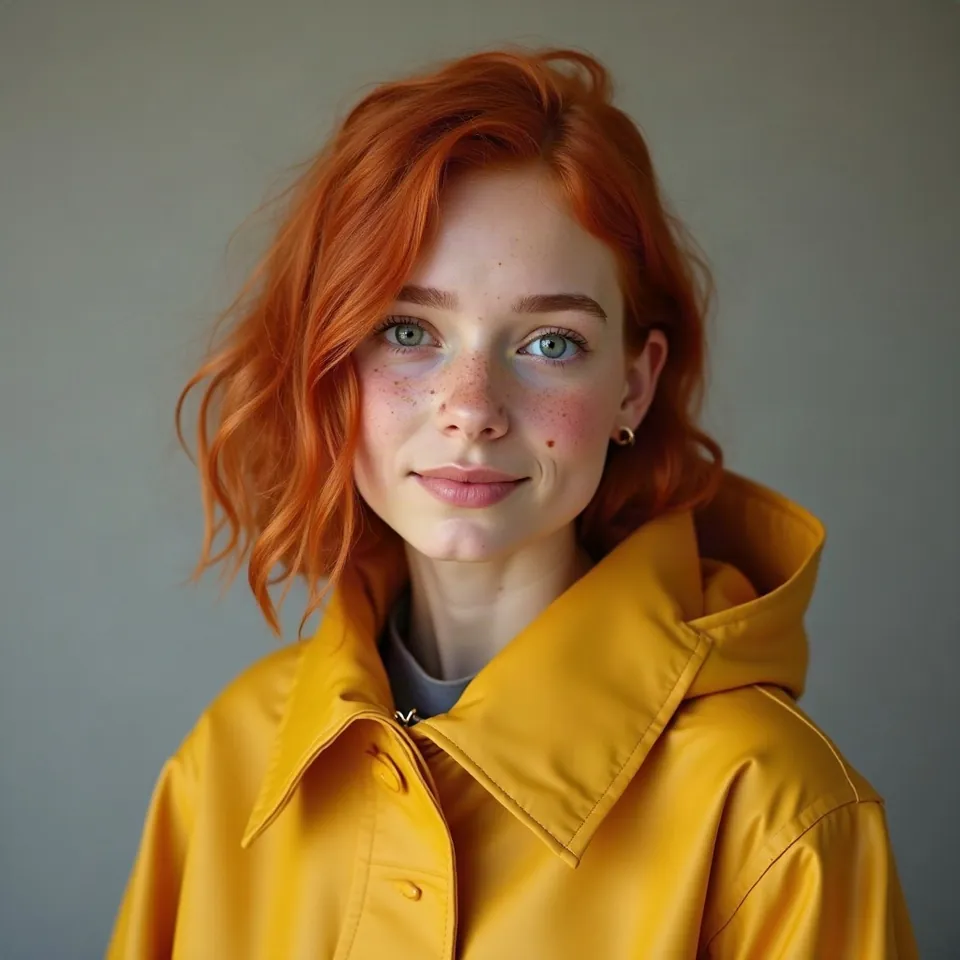
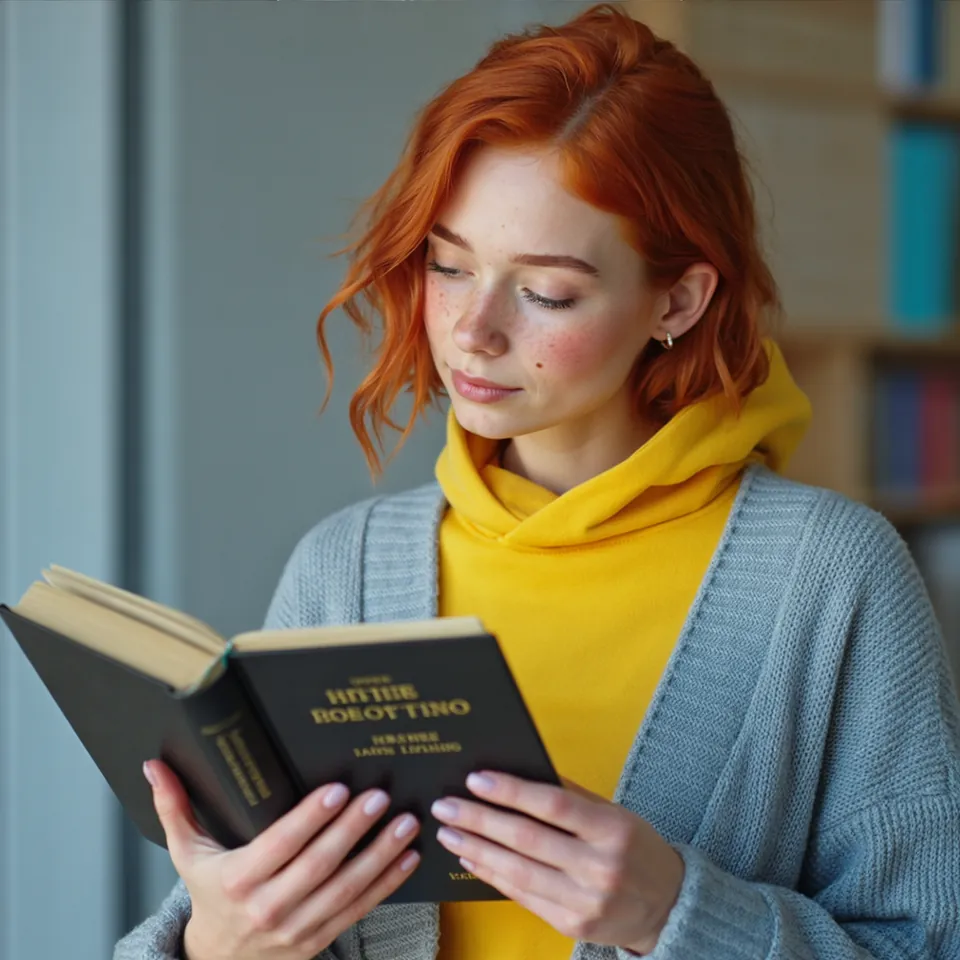
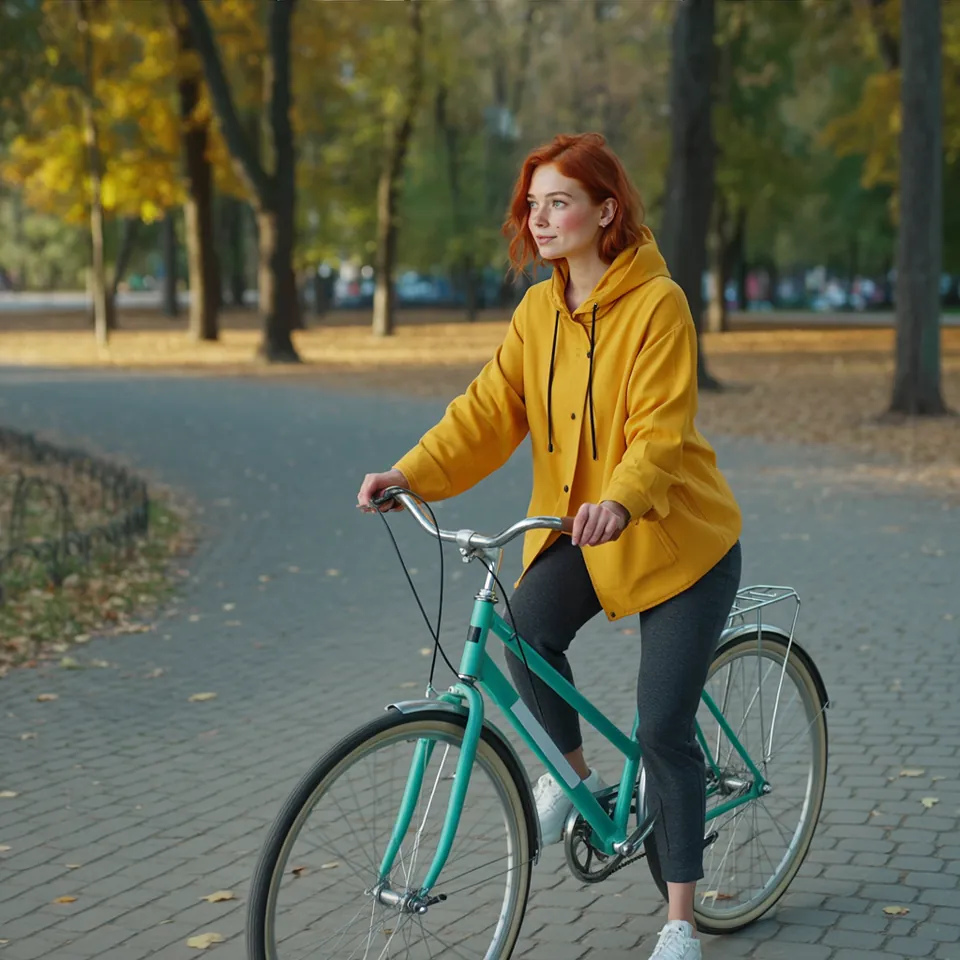
Model: Ideogram 3.0 Character (przez API fal.ai); postać wzorcowa z FLUX.1 [dev]. Settings: 1 reference image, seed 1411, TURBO mode. Date: 14.11.2026.
Prompt: the woman is reading a book in a quiet library, photo / the woman rides a bicycle through a park in autumn, photo
The character in this test is fictional: I generated her separately as a clean base portrait. Across both new scenes, Ideogram preserved her red hair, freckles, and yellow jacket. Her face in the library setting matches the reference closely, while the bicycle shot in the park frames her from a distance, meaning likeness relies primarily on her hair and clothing.
Syntax across generators
| Generator | Parameter | Values | Default |
|---|---|---|---|
| Midjourney* | Edit Model (V8.1/V8.2); legacy: --oref + --ow (V7), --cref + --cw (V6/Niji 6)W V8.X Edit Model zastąpił Omni Reference i Character Reference. Edit Model nie działa z --tile | Edit Model: up to 4 reference images; --ow 1-1000 | --ow 100 |
| FLUX | images (FLUX 3, up to 10) / input_image..input_image_8 (FLUX.2)Images referenced in prompt by order | FLUX 3: 1-10; FLUX.2: up to 8 | - |
| Ideogram | character_reference_images (Ideogram 3.0 Character) / @img_1 images (4.5)Extra charge for character reference. ideogram-3-character endpoints (generate, remix, inpaint) | 3.0: 1 image (up to 25 MB), optional mask; 4.5: according to FAQ 1-5 images | - |
| GPT Image | input images for editingDocumentation states directly: characters and brand elements may not be consistent across generations | - | - |
| Seedream* | image (reference images) | up to 10 (5.0 pro/flash) / up to 14 (lite, 4.5, 4.0) | - |
| Qwen-Image | image | 1-10 (2.1) / 1-3 (3.0) | - |
* Midjourney: docs.midjourney.com blocks automated scrapers, so values are sourced from search engine indexes. Please verify settings on the official Midjourney site before production use.
- Sources, verified on 14.11.2026:
- Midjourney: docs.midjourney.com/hc/en-us/articles/36285124473997-Omni-R...
- FLUX: docs.bfl.ml/flux_3/flux3_image_overview.md
- Ideogram: developer.ideogram.ai/openapi/ideogram-api-v2.json
- GPT Image: developers.openai.com/api/docs/guides/image-generation
- Seedream: docs.byteplus.com/en/docs/ModelArk/1541523
- Qwen-Image: www.alibabacloud.com/help/en/model-studio/qwen-image-genera...
When to use it
- Producing a sequential series of images with a recurring character, such as graphic novels, marketing campaigns, or video storyboards
- Designing instructional course material or children's books requiring a recognizable protagonist
- Preventing the model from generating a completely different face every time the text prompt changes
Common mistake
Uploading photos of real people without explicit consent violates image rights, and most platforms will actively block recognizable faces. Another frequent mistake is using a reference image with a busy background or harsh directional lighting, which the model often bleeds into the new environment. For best results, use a clear portrait set against a neutral, evenly lit background.
Ready-to-use example
Midjourney: girl reading in a library --oref <link> --ow 100
Ideogram (API): character_reference_images with 1 image
FLUX Kontext: character image in input_image + description of new scene
Frequently asked questions
How do you maintain character consistency across multiple scenes?
Generate a single high-quality portrait against a neutral studio backdrop with balanced lighting, then use that image URL or file as your reference anchor for every subsequent prompt.
Can you change a character's outfit while keeping their facial features?
Yes. You can lower the character reference weight parameter so the tool focuses on facial geometry rather than attire, while explicitly describing the new clothes in your text prompt.
Why does the generator keep copying the background from my reference image?
Generators frequently absorb environmental colors and lighting cues from reference files. Crop your reference image tightly around the face and shoulders, or replace the backdrop with a plain white or grey fill before uploading.