
GTA 6 keyboard and mouse on PC via Remote Play: chiaki-ng, Steam Input and reWASD
How to play GTA 6 with keyboard and mouse on PC: Remote Play from PS5 or Xbox, chiaki-ng with Steam Input or reWASD. Step by step, and why not DS4Windows.
Contents 8
As of November 19, evening: GTA 6 is console-only and doesn't support keyboard or mouse. This guide covers the Remote Play workaround on PC. The whole series: GTA 6 at 60 fps - every method.
- To play GTA 6 with keyboard and mouse on PC, you stream the picture from your PS5 or Xbox via Remote Play and turn the keyboard into a virtual controller.
- On PS5 you can do it for free with chiaki-ng and Steam Input, while reWASD supports both consoles and starts at 12.99 EUR with a 7-day trial.
- GTA 6 runs at 30 fps and Sony recommends at least 15 Mbps for Remote Play, and the mouse doesn't aim like on PC - it imitates the controller's right stick.
To play GTA 6 with keyboard and mouse on PC, you need to stream the picture from your console to your computer via Remote Play and turn the keyboard and mouse into a virtual controller. On PS5 the easiest free route is chiaki-ng with Steam Input. On PS5 and Xbox the paid reWASD works too. DS4Windows won't help here, because it's built for something else. Step-by-step setup below.
How it works
The console runs GTA 6 and sends the picture over the network to your PC. On the PC you press keys and move the mouse, and the mapping program turns that into stick movements and controller button presses. The game doesn't notice a thing, because it receives an ordinary controller signal. So the mouse turns the camera like the right stick, not like a mouse in PC games.
| Console | PC client | Mapping | Cost |
|---|---|---|---|
| PS5 | chiaki-ng (unofficial, open source) | Steam Input (chiaki-ng added to Steam) | Free |
| PS5 | PS Remote Play (Sony) | reWASD - virtual DualShock 4 | reWASD Basic from 12.99 EUR, 7-day trial |
| Xbox Series X|S | Xbox app (Remote Play) | reWASD - virtual Xbox controller | reWASD Basic from 12.99 EUR, 7-day trial |
reWASD prices from the developer's website, checked November 19.
PS5: chiaki-ng + Steam Input step by step
- On PS5: Settings - System - Remote Play - Enable Remote Play. In the power saving settings, keep the console connected to the internet in rest mode if you want to wake it from your PC.
- Download chiaki-ng from the project's website (Windows, Linux, macOS). Sign in to your PSN account - the program will grab your account ID and find the console.
- Pair the console using the code from Settings - System - Remote Play - Link Device.
- In Steam: Games - Add a Non-Steam Game to My Library and select chiaki-ng.
- In chiaki-ng's properties in Steam, enable Steam Input and open the controller layout. Pick a community keyboard-and-mouse profile or set up your own: WSAD to the left stick, mouse to the right stick ("joystick" mode), left and right mouse buttons to L2 and R2.
- Always launch chiaki-ng from Steam, otherwise the profile won't load. Shortcuts: Ctrl+Q ends the session, Ctrl+S stretches the picture, Ctrl+Z zooms, F11 toggles full screen.
chiaki-ng also connects to the console from outside your home via PSN, with no port forwarding. I cover picture settings and bitrate here: GTA 6 on PS5 via chiaki-ng.
Xbox and PS Remote Play: reWASD step by step
- Xbox: Settings - Devices and connections - Remote features - enable remote features. PS5: enable Remote Play as above.
- On your PC, install the Xbox app or PS Remote Play and connect to the console. Both official apps require a controller for input.
- Install reWASD and create a virtual controller: an Xbox controller for the Xbox app, a DualShock 4 for PS Remote Play.
- Assign keys: WSAD - left stick, mouse - right stick, mouse buttons - triggers, and the rest following the layout in the Controls tab in GTA 6.
- Enable the profile and start the stream. If the app sees two controllers, unplug the physical one.
DS4Windows won't turn your keyboard into a controller
DS4Windows is a popular program, but it's for something else. It lets you use a PlayStation controller (DualShock 4, DualSense) in PC games that only understand an Xbox controller. It doesn't create a controller out of a keyboard and mouse. For GTA 6 via Remote Play it's only useful if you play with a PlayStation controller in an app that doesn't detect it. For keyboard and mouse you need Steam Input or reWASD.
Latency: what to expect
On top of the game's own latency you get the network stream, and mapping the mouse to a stick won't give you PC-level precision. GTA 6 runs at 30 fps, so the console renders a frame in about 33.3 ms. Sony recommends a connection of at least 15 Mbps for Remote Play (5 Mbps minimum). Ideally, wire both the console and the PC to your router.
You can smooth out that same picture on PC with frame generation. It won't cut latency, but camera movement will look smoother: Lossless Scaling with a console - settings and GTA 6 at 60 fps on Xbox Series X via Remote Play.
My test - coming soon
I'll connect an Xbox Series X to a PC with an RTX 4090 via Remote Play and play GTA 6 with keyboard and mouse on a virtual controller. I'll describe the settings that worked and how aiming feels. I'll add the results here.
Frequently asked questions
Can you play GTA 6 on PC?
Only by streaming from your own console. Rockstar hasn't announced a PC version.
Will DS4Windows let me play GTA 6 with a keyboard?
No. DS4Windows handles PlayStation controllers on PC - it doesn't turn a keyboard into a controller.
Does the mouse aim like on PC in Remote Play?
No. The mouse imitates a stick, so movement depends on the camera sensitivity in the game and in the mapping program.
Can you get banned for playing like this?
Nobody has announced penalties for Remote Play with a virtual controller. I cover the risks of adapters in XIM and Cronus Zen in GTA 6.
Per console: keyboard and mouse on PS5 and on Xbox Series X. Problems with the game: GTA 6 not working - what to do. Everything about the game in the GTA 6 hub.
Frequently asked questions
How do you play GTA 6 with keyboard and mouse on PC?
You run GTA 6 on your console, stream the picture to your PC via Remote Play, and use a program that turns your keyboard and mouse into a virtual controller. On PS5 it works for free with chiaki-ng and Steam Input, and on both PS5 and Xbox with the paid reWASD.
Will DS4Windows let me use keyboard and mouse in GTA 6 via Remote Play?
No, DS4Windows doesn't turn a keyboard or mouse into a controller - it's for using PlayStation controllers in PC games that expect an Xbox controller. To map keyboard and mouse you need Steam Input or reWASD.
How much does reWASD cost and is there a trial?
reWASD Basic starts at 12.99 EUR according to the developer's website, as of November 19. There's a 7-day trial.
Does chiaki-ng only work on your home network, or also away from home?
chiaki-ng also connects to your console from outside your home via PSN and doesn't need port forwarding. Just sign in to your PSN account and the program finds the console automatically.
Unofficial site, not affiliated with Rockstar Games or Take-Two Interactive.
Read next
 GTA 6 · GuideGTA 6 map - interactive Vice City and Leonida locationsThe GTA 6 map covers Vice City and the rest of Leonida. Enter a location name to narrow the pins, then zoom in before...
 GTA 6 · GuideGTA 6 walkthrough: missions by chapterBrowse the GTA 6 story missions across five chapters. Find your current objective by its in-game title, starting with Lucia in the Prologue.
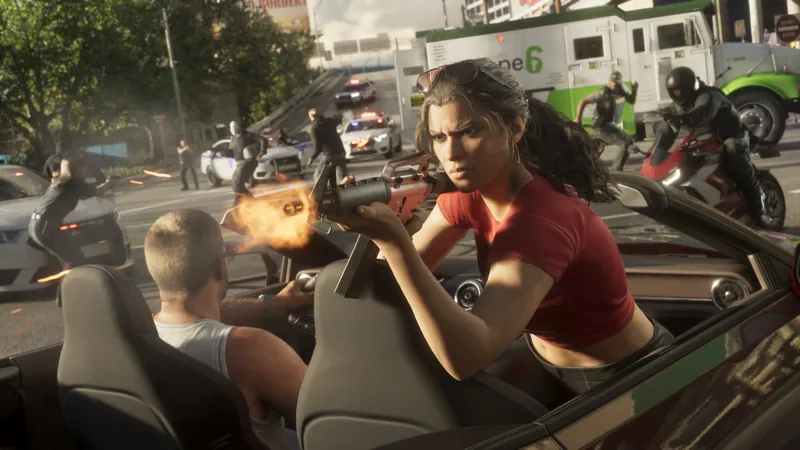 GTA 6 · GuideGTA 6 review: Jason, Lucia and life beyond Vice CityThe slower opening in the Keys pays off in Leonida, where Jason and Lucia give Rockstar’s vast world a personal centre. The verdict is...
