
Prompt Expansion (Magic Prompt)
Prompt expansion is an automated feature where an image generator uses an underlying language model to rewrite and flesh out your prompt before rendering. While it quickly transforms a basic description into a rich visual scene, it sacrifices user control by inventing elements you never specified.
Also known as: magic prompt, magic_prompt, prompt_upsampling, enhancePrompt, prompt_extend, enable_prompt_expansion
Side-by-side test results
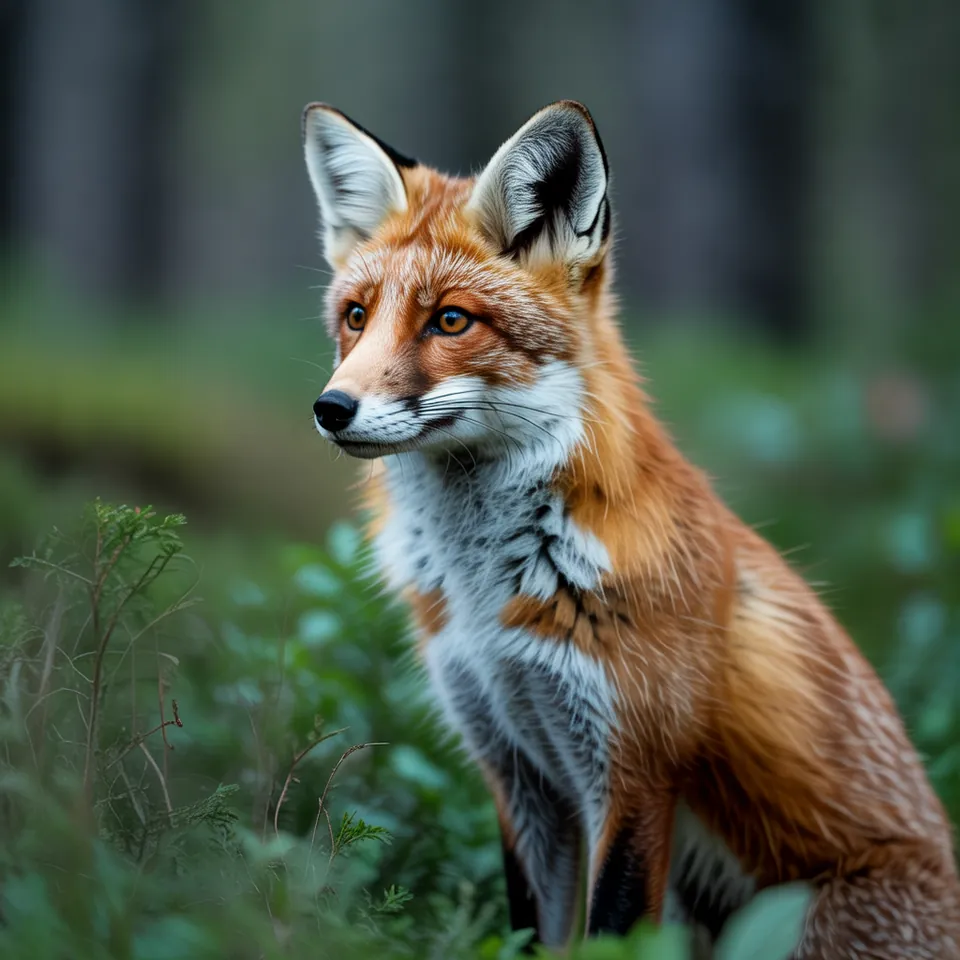
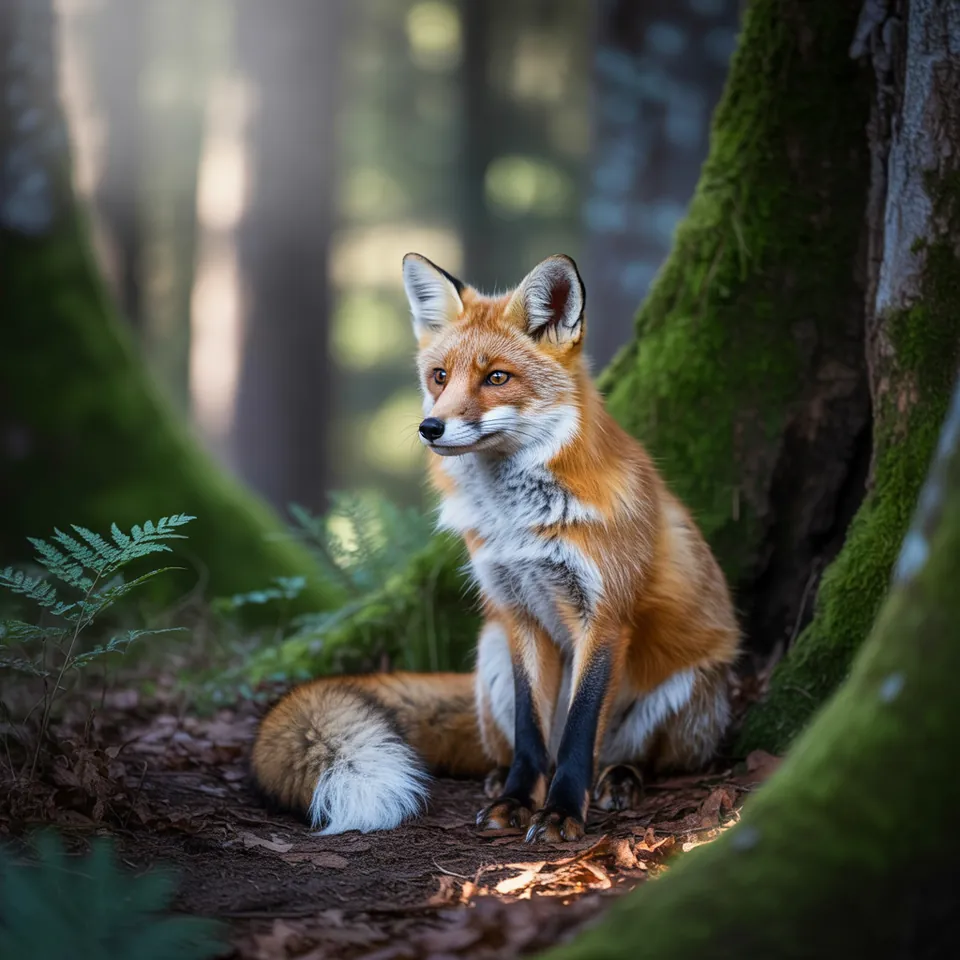
Drag the slider to compare. Left: expansion off. Right: expansion on.
Model: Ideogram 3.0 (przez API fal.ai, tryb TURBO). Settings: seed 1411, tested once with enable_prompt_expansion = false, once with true. Date: 14.11.2026.
Prompt: a fox in a forest
Without prompt expansion, I received a straightforward portrait of a fox, sharply focused against a blurred background. With expansion enabled, the model improvised an entire environment: it added moss, ferns, dappled sunlight filtering through woodland trees, and pulled back into a wider frame. The result looked gorgeous, but it was no longer my composition; the system wrote its own prompt on my behalf.
Syntax across generators
| Generator | Parameter | Values | Default |
|---|---|---|---|
| FLUX | prompt_upsampling (FLUX.2 flex, Ultra, Fill, Expand) / disable_pup (FLUX.2 pro)FLUX 3: none; grounding instead (web search, defaults to true). Klein: upsampler is a separate 9B model | true / false | FLUX.2 flex: true; Ultra/Fill/Expand: false; FLUX.2 pro: enabled (disable_pup=false) |
| Ideogram | magic_prompt4.5: off preserves words and only structures; JSON prompts skip unless on | auto, on, off | auto |
| Seedream | optimize_prompt - unconfirmed | - | - |
| Imagen (retired) | enhancePromptDisabling may degrade quality and prompt adherence | true / false | true |
| Qwen-Image | prompt_extend (+ prompt_extend_mode)Set explicitly | true / false; mode: direct, agent (agent only T2I) | true (API reference page); qwen-image-api page states false - contradiction |
| Midjourney | no parameter | - | - |
| GPT Image | none in retrieved guide | - | - |
| Stability AI (SD 3.5) | none | - | - |
- Sources, verified on 14.11.2026:
- FLUX: docs.bfl.ml/api-reference/models/generate-or-edit-an-image-...
- Ideogram: developer.ideogram.ai/v2/api-reference/images/generate/ideo...
- Seedream: docs.byteplus.com/en/docs/ModelArk/1541523
- Imagen: docs.cloud.google.com/vertex-ai/generative-ai/docs/image/ge...
- Qwen-Image: www.alibabacloud.com/help/en/model-studio/qwen-image-genera...
- Midjourney: docs.midjourney.com/hc/en-us/articles/32859204029709-Parame...
- GPT Image: developers.openai.com/api/docs/guides/image-generation
- Stability AI: docs.stability.ai/api-reference/generate/stable-diffusion-3...
When to use it
- Turn it on for rapid concept sketching, broad brainstorming, or when working with quick two-word prompts.
- Turn it off for tightly crafted prompts, multi-image series, and exact commercial art where extra objects spoil the brief.
- Disable it whenever you benchmark other parameters, ensuring unseen prompt changes do not skew your findings.
Common mistake
Leaving prompt expansion on by default when you have already written an exact prompt is a frequent misstep, leaving creators puzzled by unexpected props and lighting styles. Platforms like Ideogram or Imagen often default to auto or enabled modes, overriding specific instructions. Another major error is comparing settings while expansion remains active: every generation receives a differently rewritten prompt, making controlled testing impossible.
Ready-to-use example
Ideogram:  "magic_prompt": "OFF"
FLUX.1 Fill / Expand:  "prompt_upsampling": false
Qwen-Image:  "prompt_extend": false
Imagen (Vertex):  "enhancePrompt": false
Frequently asked questions
What is Magic Prompt in Ideogram?
Magic Prompt is Ideogram's proprietary prompt expansion tool powered by an internal language model. You can set it to AUTO, ON, or OFF depending on whether you want the model to invent extra details or follow your text verbatim.
What is prompt upsampling?
Prompt upsampling is the technical term for expanding a concise prompt into a detailed descriptive paragraph. It helps image models interpret user intent by providing the rich contextual vocabulary they were trained on.
Why should I disable prompt expansion for client commissions?
Commercial projects usually demand strict visual discipline, such as exact color palettes or specific product placements. An active expansion tool may hallucinate unwanted background clutter, extra characters, or contradictory aesthetic cues.
Does prompt expansion alter the random seed?
No, the numerical seed remains the same. However, because the text passed into the image pipeline changes dynamically, the resulting generation looks entirely different even if your seed and raw input stay fixed.