
How much space does GTA 6 take on PS5 and Xbox? Game size and M.2 drives
I am checking the size of GTA VI on PS5 and Xbox, free space on three PS5 models, and requirements for an M.2 SSD with a heatsink.
Contents 6
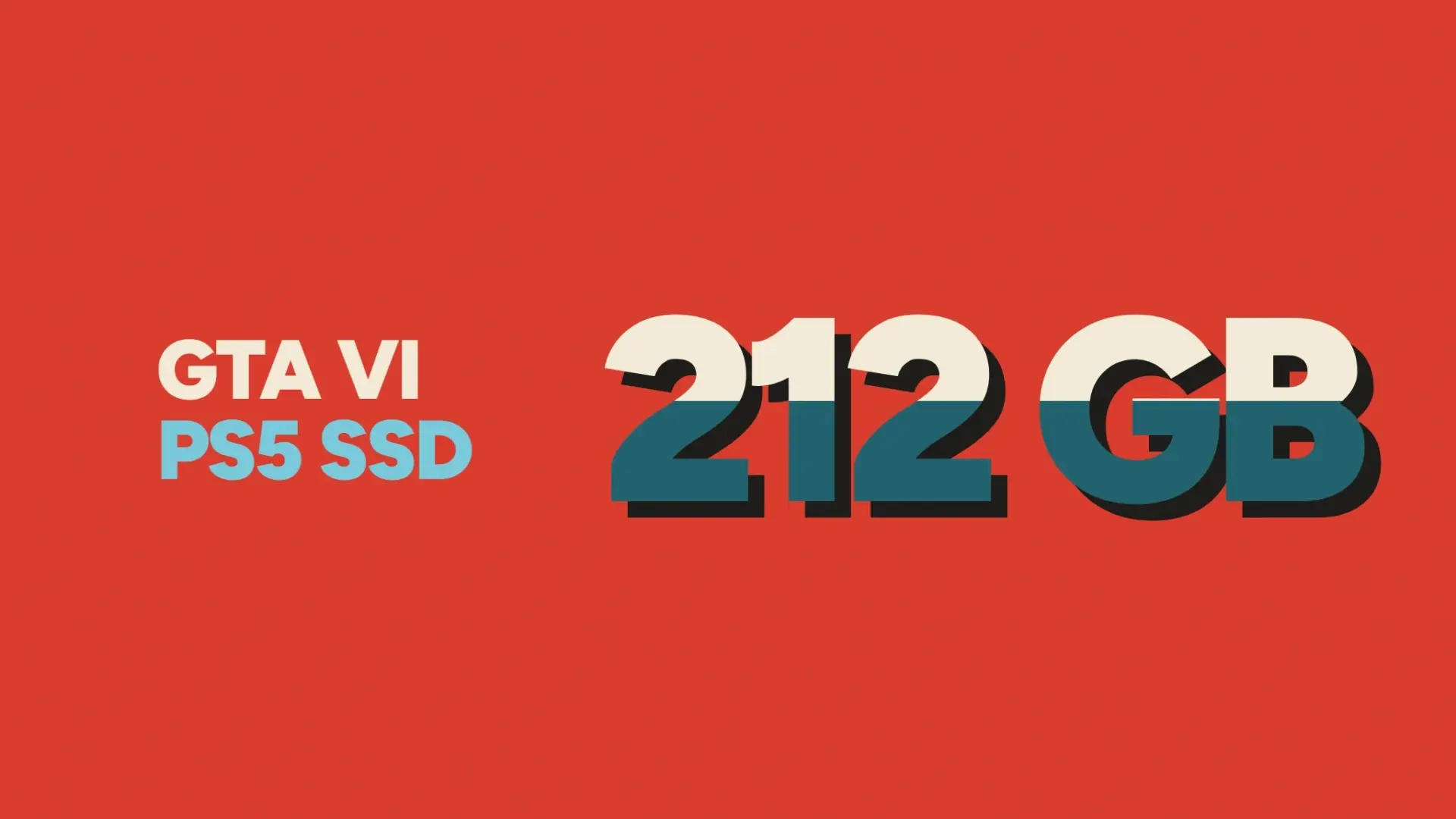
On PS5 before installing GTA VI, Sony recommends freeing up at least 212 GB. On Xbox, the Microsoft catalog lists the maximum package size in bytes. These are two different measurements: before deleting a game or captures, I check available space in my own console settings.
- Sony recommends preparing at least 212 GB of free space.
- Yes, if the console has formatted a compatible NVMe PCIe Gen4 x4 SSD with cooling.
PS5 and Xbox: required space
On the Rockstar support page, up to 212 GB is listed depending on the device. The Polish PlayStation page for GTA VI indicates at least 212 GB of free space on PS5. In the Microsoft Store catalog, the MaxDownloadSizeInBytes property for the game is 225336647680 bytes, which is about 225.34 GB or 209.86 GiB. Reading from November 21, 2026. Future updates may change the package size.
How much remains on an empty PS5 console
Part of the nominal capacity is taken by the system. From the approximate usable storage, I subtract 212 GB. This is your game storage budget, even before accounting for other games, captures, and updates on your console.
| Variant | Approx. data storage | After reserving 212 GB |
|---|---|---|
| PS5 825 GB | ~667 GB | ~455 GB |
| PS5 1 TB | ~848 GB | ~636 GB |
| PS5 Pro 2 TB | ~1890 GB | ~1678 GB |
How to choose an M.2 SSD for PS5
Sony requires an M.2 NVMe PCIe Gen4 x4 SSD with an M-key and heat dissipation. It recommends sequential read speeds of 5500 MB/s or faster. Capacity can range from 250 GB to 8 TB. Together with the heatsink, the drive must fit in a bay up to 25 mm wide and 11.25 mm high. The Samsung 990 PRO with Heatsink in 1 TB and 2 TB versions comes with a factory heatsink. When buying, compare the end of the model code: MZ-V9P1T0CW or MZ-V9P2T0CW.
Installation and game transfer
- Update your PS5 system software. Turn off the console, disconnect the cables, and wait for it to cool down. In the Sony manual, select the instructions for your CFI model number.
- Remove the corresponding cover and the expansion bay lid. Set the spacer to match the length of the drive, insert the connector at an angle, lower the drive, and screw it to the spacer. Replace the lid and cover.
- After turning on the console, confirm the formatting of the new M.2 SSD. This step erases its previous data. In storage settings, select GTA VI and move the game to the M.2 SSD storage. PS5 games can be launched directly from it.
Sources
- https://store.playstation.com/pl-pl/product/EP1004-PPSA01547_00-GTAVISTANDARD001
- https://www.playstation.com/pl-pl/games/grand-theft-auto-vi/
- https://www.xbox.com/pl-PL/games/store/grand-theft-auto-vi/9p3h4968grsm
- https://displaycatalog.mp.microsoft.com/v7.0/products?bigIds=9NL3WWNZLZZN&market=PL&languages=pl-PL
- https://support.rockstargames.com/articles/M6h7B5fJZMwG1dnzQkt4Z/grand-theft-auto-vi-installation-requirements
- https://www.playstation.com/en-us/support/hardware/ps5-install-m2-ssd/
- https://www.asurion.com/connect/tech-tips/how-to-increase-ps5-storage-space/
- https://www.techradar.com/gaming/ps5-pro-review
FAQ
How much space to prepare on PS5?
Sony recommends preparing at least 212 GB of free space.
Can I run GTA VI from an M.2 SSD on PS5?
Yes, if the console has formatted a compatible NVMe PCIe Gen4 x4 SSD with cooling.
Frequently asked questions
How much space to prepare on PS5?
Sony recommends preparing at least 212 GB of free space.
Can I run GTA VI from an M.2 SSD on PS5?
Yes, if the console has formatted a compatible NVMe PCIe Gen4 x4 SSD with cooling.
Unofficial site, not affiliated with Rockstar Games or Take-Two Interactive.
Read next
 GTA 6 · GuideGTA 6 Map - Interactive Map of Vice City and LeonidaExplore the GTA VI map by location name or category. Find Vice City, garages, safehouses and collectibles, open a pin and keep track of...
 GTA 6 · GuideGTA 6 walkthrough: missions by chapterBrowse the GTA 6 story missions across five chapters. Find your current objective by its in-game title, starting with Lucia in the Prologue.
 GTA 6 · GuideGTA 6 review: Jason, Lucia and life beyond Vice CityThe slower opening in the Keys pays off in Leonida, where Jason and Lucia give Rockstar’s vast world a personal centre. The verdict is...
