
GTA 6 Like Real Life? How dvesf Showed FPP, 60 FPS, and „DLSS 5”
A breakdown of dvesf's GTA 6 clip showing first-person driving, 60 fps, and purported DLSS 5 via Veyra, an Elgato card, and an RTX 5080.
Contents 5
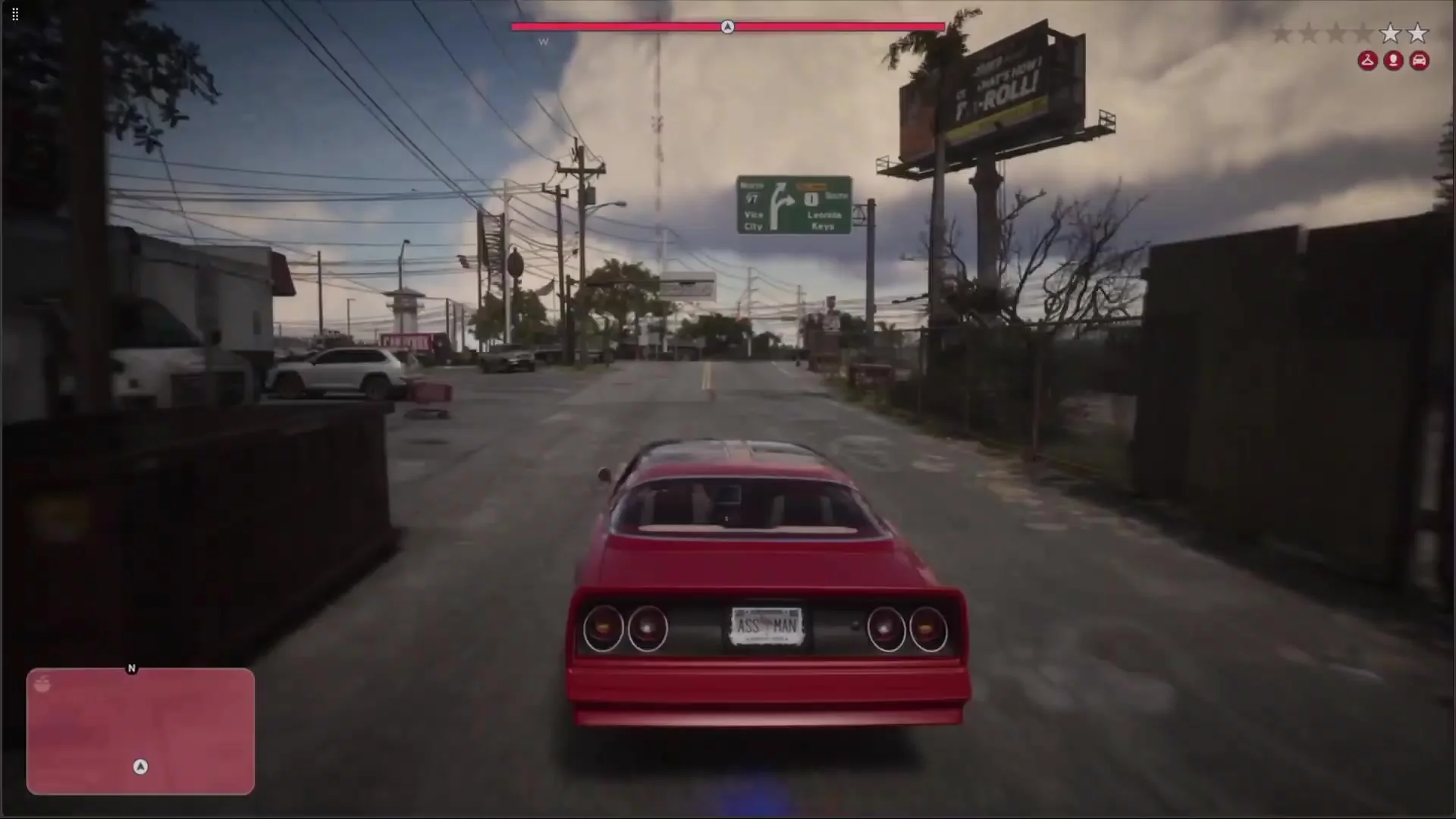
In a video by dvesf, the camera looks out over Vice City from behind the steering wheel. The creator labels the capture "60fps" and "DLSS 5." To determine where this footage actually came from, I checked his second video. There, he lists three key pieces of hardware and software: Veyra, an Elgato 4K MK2 capture card, and a GeForce RTX 5080.
- The viral first-person GTA 6 footage relies on external PC processing using Veyra, an Elgato 4K MK2 card, and an RTX 5080.
- The "DLSS 5" moniker is purely the creator's label and does not represent an official in-engine setting or PC release.
- Frame generation smooths visual panning but does not reduce input lag, and visual artifacts can appear around objects like the steering wheel.
- To avoid post-processing input delay while gaming, connect a monitor directly to the capture card's passthrough port.
Two Videos, Two Different Pieces of Information
The clip demonstrates a first-person perspective effect, including underwater sequences. In the description, dvesf takes credit for the gameplay and editing. He shared the hardware list in a separate video processing guide. However, he does not disclose the specific filter settings or the measured latency for that exact sequence in the clip's description.
GTA 6 in First Person Mode with 60fps and DLSS 5 applied makes the game look like Real Life
- dvesf (@dvesf_yt) November 20, 2026
Works Underwater too! pic.twitter.com/QvofxLRlpX
What the Console Does vs. What the RTX Does
The console runs the game and outputs the rendered video signal over HDMI. The capture card feeds this signal into the PC. Veyra can display this incoming feed, upscale it, generate interpolated frames, and record the processed video. The phrase "DLSS 5" comes strictly from the creator's own label. The footage does not document any native integration of such a feature inside the GTA VI game engine, nor does it prove a Windows release of the game.
With a 30 fps source, consecutive game frames are spaced roughly 33.3 ms apart. A 60 fps output presents an image roughly every 16.7 ms. While an interpolated frame can smooth out a panning camera, it does not include fresh controller input responses from the game engine. Capturing, post-processing, and screen output all introduce their own input lag. Interpolation artifacts are particularly noticeable around the edge of the steering wheel and during fast camera turns.
How to Test the Setup Yourself
- Connect your console's HDMI output to the capture card's HDMI input. You can hook your gaming display to the card's HDMI passthrough port if your model features one. On a Windows PC equipped with a compatible RTX card, launch Veyra and select the capture card as your video source.
- Begin with a raw preview without active filters. Check camera motion, audio, and sync. Then turn on frame generation, followed separately by upscaling or image enhancements. Replay the same driving route so you can make a meaningful comparison.
- Compare the button response times between the passthrough monitor and the software preview window. If you want to play without added preview latency, play on the passthrough display while using the PC to capture the post-processed footage.
The behind-the-wheel angle is a separate camera configuration. I detailed the buttons and the community-discovered method in the FPP guide. For comparisons with other solutions, see the 60 fps hub, the Veyra, NitLink, and SmoovPlay breakdown, and the article on Naiman.
Sources
- dvesf - first-person showcase
- dvesf - guide and gear list
- Veyra - video sources and features
- Original post by the creator on X
Frequently asked questions
Is the "DLSS 5" in the GTA 6 clip an official game feature?
No. The term "DLSS 5" comes directly from creator dvesf's video caption. The footage does not show native engine integration in GTA VI or a PC version of the game.
What hardware was used to create the 60 fps effect?
According to dvesf's setup tutorial, the footage was produced using a console running the game into an Elgato 4K MK2 capture card, processed on a PC using Veyra software and a GeForce RTX 5080.
Does generating frames with Veyra improve controller response time?
No. Interpolated frames smooth out visual motion, but they do not contain new game engine responses to button presses, and the capture-and-processing chain adds extra latency.
Unofficial site, not affiliated with Rockstar Games or Take-Two Interactive.
Read next
 GTA 6 · GuideGTA 6 Map - Interactive Map of Vice City and LeonidaExplore the GTA VI map by location name or category. Find Vice City, garages, safehouses and collectibles, open a pin and keep track of...
 GTA 6 · GuideGTA 6 walkthrough: missions by chapterBrowse the GTA 6 story missions across five chapters. Find your current objective by its in-game title, starting with Lucia in the Prologue.
 GTA 6 · GuideGTA 6 review: Jason, Lucia and life beyond Vice CityThe slower opening in the Keys pays off in Leonida, where Jason and Lucia give Rockstar’s vast world a personal centre. The verdict is...
